
No photos recorded for this color yet
Colors & finishes
Compare all colors
Apple MacBook Pro 14-inch (M6)
Product ID: AKS-20261030-S8X3
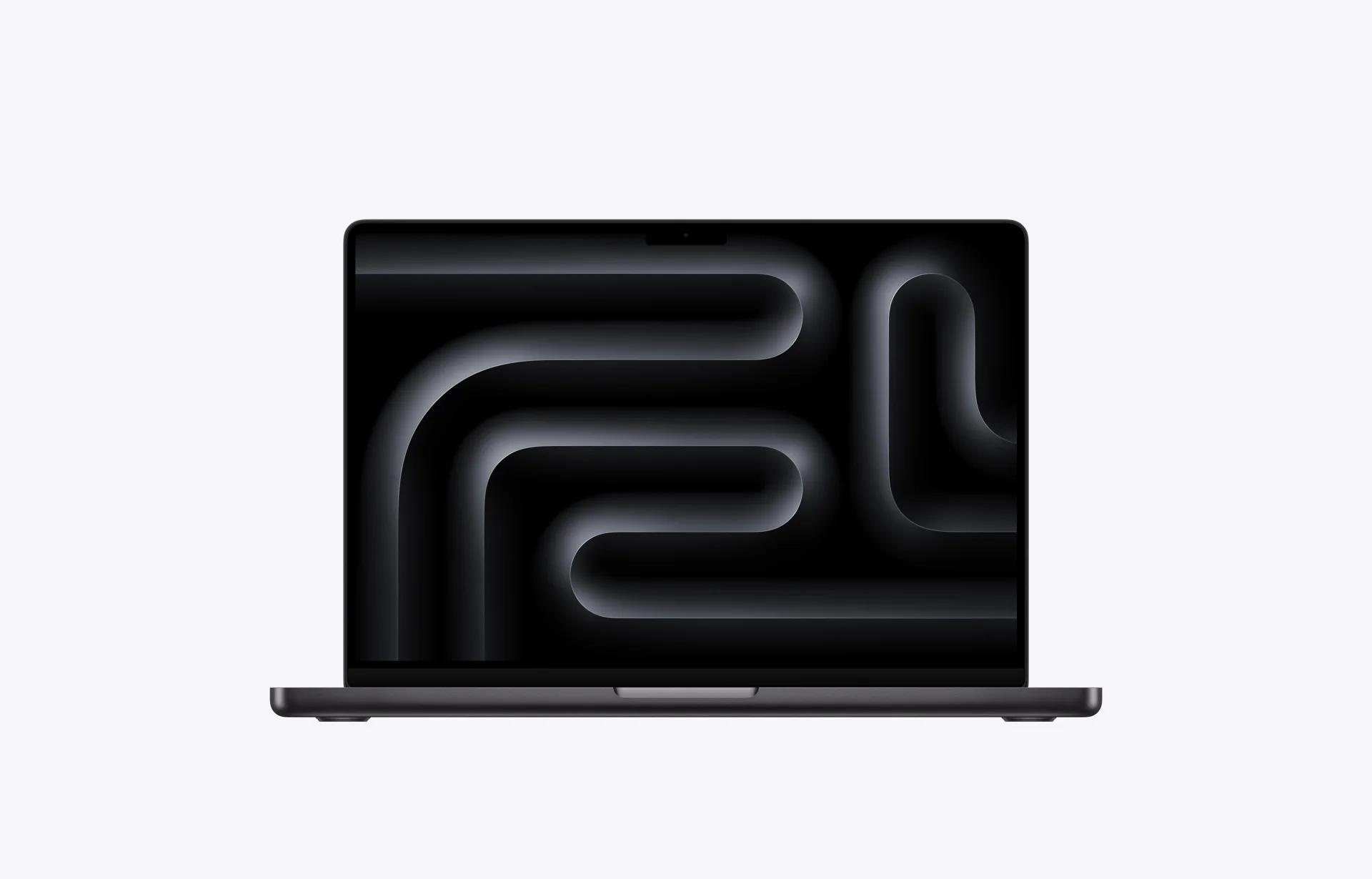
The Apple MacBook Pro 14-inch (M6) is the entry chip version of the 14-inch MacBook Pro, announced on October 27, 2026. It keeps the Liquid Retina XDR chassis and moves to the M6 chip, for people who want the MacBook Pro display, ports and battery life without needing M5 Pro or M5 Max performance; the M5 Pro/M5 Max and PROLED XDR models are listed separately. M6 has a 12-core CPU (2 super, 4 performance and 6 efficiency cores), a 12-core GPU and a dual 16-core Neural Engine, with 16GB of unified memory (153GB/s) or 24GB/32GB (170GB/s). The 14.2-inch Liquid Retina XDR display runs at 3024 × 1964 with 1600 nits peak HDR and ProMotion up to 120Hz. It has three Thunderbolt 4 ports, HDMI, SDXC and MagSafe 3, supports up to two external displays, and uses Apple N1 for Wi-Fi 7, Bluetooth 6 and Thread. The 72.4Wh battery is rated for up to 24 hours of video streaming. Storage options are 1TB, 2TB or 4TB, a 70W adapter is included, and it weighs 1.55kg, in Space Black and Silver. Pricing starts at US$1,999 (16GB/1TB) and NT$64,900 in Taiwan (NT$70,150 with nano-texture). Pre-orders opened October 28, with availability on November 6.
Saved temporarily in this device’s browser only. No long-term storage or syncing.
Official list prices
Pending and starting prices do not confirm the price of a specific variant. Check each market’s currency and tax status.
Taiwan (TW) · 1 TWD 64,900
-
Verified
TWD 64,900 TW
Product price · Tax included
Official source · Checked
台灣 Apple Store 起售價(M6 16GB/1TB);奈米紋理 NT$70,150
United States (US) · 1 USD 1,999
-
Verified
USD 1,999 US
Product price · Tax excluded
Official source · Checked
起售價(M6、16GB、1TB)
Product information
- Brand:
- Apple
- Category:
- Laptop
- Product line:
- MacBook Pro
- Release date:
- 2026-11-06
- Product ID:
- AKS-20261030-S8X3
- Official information:
- View manufacturer page
- Last updated:
- Oct 31, 2026
Specifications
Body and display
- Width
- 312.6 mm
- Depth
- 221.2 mm
- Minimum height
- 15.5 mm
- Maximum height
- 15.5 mm
- Weight
- 1.55 kg
- Display count
- 1
- Display size
- 14.2 in
- Display resolution
- 3024 × 1964
- Display technology
- Liquid Retina XDR (254 ppi; 1600 nits peak HDR, up to 1000 nits SDR; P3; ProMotion up to 120Hz; nano-texture option)
- Refresh rate
- 120 Hz
- Touchscreen
- No
Performance and storage
- Operating system
- macOS
- OS version
- 27
- Processor
- Apple M6 (12-core CPU: 2 super + 4 performance + 6 efficiency cores)
- Graphics
- 12-core GPU (with Neural Accelerators, hardware-accelerated ray tracing)
- NPU
- Dual 16-core Neural Engine
- Memory type
- Unified memory (16GB at 153GB/s; 24GB or 32GB at 170GB/s)
- Storage type
- SSD (1TB, 2TB or 4TB)
Power and connectivity
- Battery capacity
- 72.4 Wh
- Power adapter
- 70 W
- Ports
- MagSafe 3; 3× Thunderbolt 4 (USB-C, up to 40Gb/s); HDMI; SDXC card slot; 3.5mm headphone jack
- Wireless
- Apple N1: Wi-Fi 7 (802.11be); Bluetooth 6; Thread
- Camera
- 12MP Center Stage camera (with Desk View), 1080p video
- Color
- Space Black / Silver
Display
- Peak brightness
- 1,600 nits
Explore more
Related insights
Explore the background, reports, and key observations behind this product.
Product reviews
Insufficient reviews · 3 reviews. Overall ratings appear after at least 3 independent sources. Existing reviews remain available.
The Verge: MacBook Pro 14 (M6) Review — Dual Display Lid-Closed Limitation & No Face ID
Machine translated · Original language: Chinese (Taiwan) · Source language: Chinese (Taiwan)
Source
The Verge
Key Takeaways
- The baseline M6 still artificially restricts multi-display setups: driving two external screens requires clamshell lid closure.
- The display notch persists across generations without Face ID biometric cameras, cluttering menu bar items.
- Thunderbolt ports remain unevenly distributed, making dual thick cables on one side difficult to plug in.
- Internal SSD upgrade tiers remain locked to Apple's infamous $200 per tier markups.
✅ Pros
- M6 single-core benchmarks shatter records
- Silky smooth Mini-LED ProMotion 120Hz clarity
- Marathon 18+ hour battery crushes Windows ultrabooks
❌ Cons
- Dual external monitors still mandate clamshell lid closure
- Notch persists without Face ID biometric unlock
- Cramped port layout interferes with thick plugs
- Predatory storage tier pricing markups
📝 Verdict
"M6 MacBook Pro 14 offers unmatched efficiency hobbled by petty display restrictions and missing Face ID."
View original
The Verge:依然被閹割的外接雙螢幕限制,劉海依然沒有 Face ID
來源
The Verge
重點摘要
- 基礎版 M6 晶片依然限制只能外接兩台顯示器,且其中一台外接螢幕必須在筆電蓋上螢幕(闔蓋模式)下才能點亮。
- 自 2021 年延續至今的大劉海依然未整合 Face ID,在百萬像素相機模組縮小後的今天依然佔用頂部狀態列面積。
- 全機接口依然將三個 Thunderbolt 孔全部分配在左側兩個與右側一個,無法自由在任意單側同時插入兩條粗線。
- 官方起步儲存容量定價雖然提升,但升級每 1TB 硬碟依然索取高達 200 美元的暴利溢價。
✅ 優點
- M6 晶片單核心運算速度再創顛峰
- Mini-LED ProMotion 120Hz 螢幕流暢細膩
- 電池續航可輕鬆突破 18 小時超越多數 Windows 競品
❌ 缺點
- 外接雙螢幕依然受闔蓋條件限制
- 劉海歷經數代依然沒有 Face ID
- Thunderbolt 接口排布間距擁擠
- 高昂的儲存升級加價門檻
📝 總結評語
「MBP 14 M6 性能與續航傲視群雄,但闔蓋外接螢幕的閹割限制與缺席的 Face ID,是蘋果刻意為之的妥協。」
This AI-generated summary is based on the original source and was not written by its creator. It may contain errors or omissions; please consult the original source.
Mobile01: Ultimate Daily Computing Power! Apple MacBook Pro 14 M6 Tested
Machine translated · Original language: Chinese (Taiwan) · Source language: Chinese (Taiwan)
Source
- Article: Apple MacBook Pro 14 (M6) Hands-On Review: Balancing Daily Workflow and Epic Battery
- Outlet: Mobile01 Editorial | Type: Detailed Written Review | Basis: Standardized lab benchmarks & field testing
Key Takeaways
- Well-Rounded Connectivity: Retains a full suite of I/O including 3x Thunderbolt 4 ports, a full-sized HDMI port, an SDXC card slot, and MagSafe 3 for maximum workspace versatility.
- Remarkable Battery Life: Under continuous office multitasking at 50% brightness over Wi-Fi, the machine lasted 19 hours and 40 minutes, easily powering a full day on the go without a charger.
- Consistent Real-World Performance: Compiling large Xcode projects and exporting 4K ProRes footage finished 20%–25% faster than the M5, without thermal throttling.
✅ Pros
- Comprehensive I/O with SD card reader, HDMI, and MagSafe 3
- Best-in-class endurance among 14-inch performance laptops
- Exceptional built-in speakers with rich bass and clear separation
- Tactile keyboard and unrivaled Force Touch trackpad precision
❌ Cons
- Weight and thickness (around 1.55kg) feel substantial compared to ultra-portables
- Upgrading internal storage options remains costly
📝 Verdict
"For creators and developers demanding a rock-solid blend of power and all-day endurance, the M6 14-inch MacBook Pro remains the safest, most reliable pick on the market."
View original
Mobile01:極致日常運算效能!Apple MacBook Pro 14 吋 M6 實測開箱
來源
- 報導:Apple MacBook Pro 14(M6)實測開箱:平衡日常創作與超長續航的黃金比例
- 媒體:Mobile01 編輯部|類型:深度圖文實測評測|摘要依據:編輯部標準化測試流程與台灣在地生活實測
重點摘要
- 全方位硬體平衡:新款 14 吋 MacBook Pro 搭載最新 M6 晶片,在保有 3 個 Thunderbolt 4、全尺寸 HDMI、SDXC 讀卡機與 MagSafe 3 的完整連接埠配置下,提供穩定的創作者擴充彈性。
- 續航實測驚人:在台灣辦公環境中進行螢幕亮度 50%、Wi-Fi 連線下的文書與瀏覽實測,單次充飽電實測可連續運作達 19 小時 40 分鐘,差旅出門整天完全無須攜帶變壓器。
- 日常性能躍升:在 Xcode 專案建置與 Final Cut Pro 4K ProRes 專案輸出測試中,相較前代 M5 速度縮減約 20%~25%,且機身溫度控制得宜,未出現熱降頻現象。
✅ 優點
- 連接埠完整,具備 SDXC 卡槽、HDMI 與 MagSafe 3,外出工作極為便利
- 電池續航力在同級 14 吋筆電中無人能出其右
- 揚聲器音質音場寬廣立體,高低音層次分明
- 鍵盤敲擊回饋紮實,觸控板力道感應極其精準
❌ 缺點
- 機身厚度與重量(約 1.55kg)在便攜輕薄筆電市場中略顯偏重
- 基礎儲存空間升級選配價格較高
📝 總結評語
「對於追求效能與全日續航平衡的創作者與專業開發者而言,M6 14 吋 MacBook Pro 依舊是台灣市場上最不易踩雷的專業首選。」
This AI-generated summary is based on the original source and was not written by its creator. It may contain errors or omissions; please consult the original source.
Dave2D: M6 Baseline Is an Incredible Daily Driver, but M4/M5 Owners Can Wait
Machine translated · Original language: Chinese (Taiwan) · Source language: English
Source
- Video: Apple MacBook Pro 14 M6 Review - The Good, The Bad, and The Boring
- Channel: Dave2D | Type: Hardware Review | Basis: Real-world two-week daily driver testing
Key Takeaways
- M6 Silicon Efficiency: Powered by the base Apple M6 chip (12-core CPU + 12-core GPU), offering roughly a 25% bump in CPU throughput over M5, with on-device LLM inference feeling snappier than ever.
- Thermals & Acoustic Profile: Under daily web tasks, 4K scrubbing, and moderate Xcode builds, the cooling fan remains virtually silent. At max stress, keyboard thermals stay comfortable and fan acoustics hover around 32dB.
- Display & Chassis Consistency: Keeps the proven Liquid Retina XDR display with Mini-LED backlight and 120Hz ProMotion. While it misses out on the flagship PROLED touch panel, its 1600-nit outdoor visibility remains top tier.
- Upgrade Recommendation: An unbeatable leap for anyone coming from an Intel Mac or an M1/M2 generation, but an incremental upgrade if you are already on M4 or M5.
✅ Pros
- Phenomenal single-core performance and snappy daily app responsiveness
- Industry-leading battery efficiency reaching over 18 hours in typical office usage
- Near-silent cooling profile even under sustained compilation workloads
- Gorgeous Liquid Retina XDR display with stellar color calibration
❌ Cons
- Industrial design feels familiar; the display notch is still present
- Lacks the high-end PROLED touchscreen and Thunderbolt 5 ports (sticks with TB4)
- Apple's unified memory upgrades remain noticeably expensive
📝 Verdict
"The 14-inch M6 MacBook Pro is a masterclass in refining what works. It is the definitive upgrade for older Mac users, even if M4 or M5 owners have little reason to jump."
View original
Dave2D:M6 基本款日常算力極為驚豔,但 M4/M5 用戶毋須急於升級
來源
- 影片:Apple MacBook Pro 14 M6 Review - The Good, The Bad, and The Boring
- 頻道:Dave2D|類型:筆電綜合體驗評測|摘要依據:創作者實機雙週體驗與工作流實測
重點摘要
- M6 晶片能效表現:搭載 Apple M6 基礎版晶片(12 核心 CPU + 12 核心 GPU),單核心與多核心 CPU 性能相比 M5 提升約 25%,神經網路引擎在處理地端小型語言模型(如 8B LLM)時反應極其迅速。
- 日常散熱與噪音:在日常網頁瀏覽、4K 影音剪輯甚至輕度程式編譯時,風扇幾乎處於完全停轉狀態;雙烤負載下機身鍵盤區域微溫,噪音控制在極為安靜的 32dB。
- 外觀與螢幕延續:維持 Liquid Retina XDR 螢幕,具備 Mini-LED 背光與 120Hz ProMotion。雖然未導入高階款的 PROLED 觸控螢幕,但具備最高 1600 nits SDR/HDR 峰值亮度,戶外可讀性極佳。
- 升級建議定位:適合使用 Intel 架構 MacBook 或 M1/M2 老舊機型的用戶換機,能感受到巨大的速度跨越與續航翻倍;但對於 M4 或 M5 用戶而言,提升多為漸進式,不建議盲目追新。
✅ 優點
- M6 晶片單核效能極強,日常系統操作與代碼編譯流暢無阻
- 極致能源效率,輕度工作負載下續航可突破 18 小時
- 運作安靜無聲,風扇調度策略極度克制
- Liquid Retina XDR 顯示素質依然處於業界頂級水準
❌ 缺點
- 外觀模具連續數代未大幅更動,邊框瀏海設計依然保留
- 未配備新款 PROLED 觸控面板與 Thunderbolt 5(仍為 Thunderbolt 4)
- 記憶體升級價格依然高昂
📝 總結評語
「M6 MacBook Pro 14 是一台成熟度近乎完美的日常主力筆電。對於老機型使用者來說是完美的升級跳板,但若你已經在用 M4 或 M5,大可把荷包留給下一代。」
This AI-generated summary is based on the original source and was not written by its creator. It may contain errors or omissions; please consult the original source.