
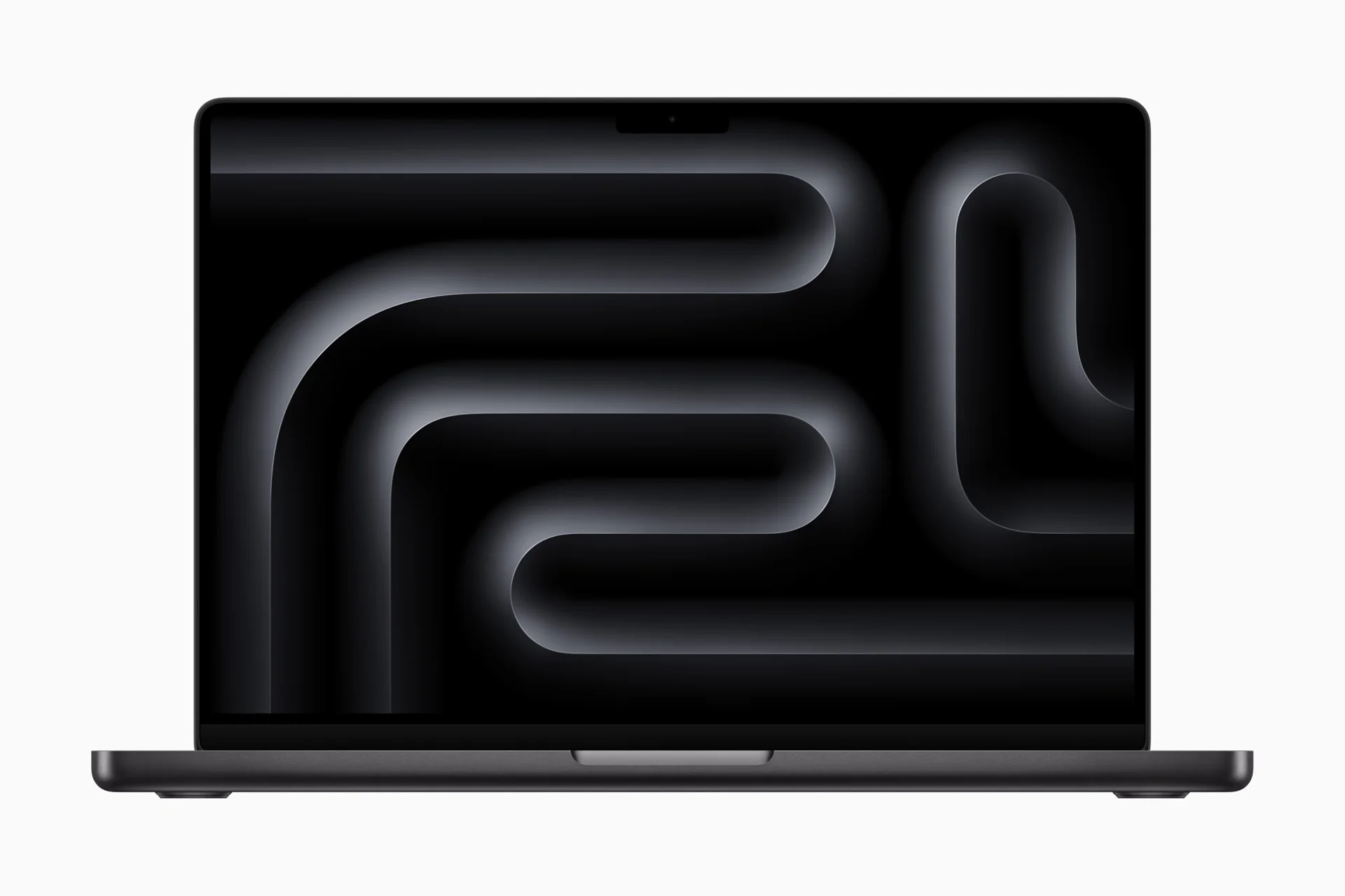
No photos recorded for this color yet
Apple MacBook Pro 14-inch (M5)
Product ID: AKS-20261006-STA8
The Apple MacBook Pro 14-inch (M5) is a creator laptop with a 14.2-inch Liquid Retina XDR display (ProMotion up to 120Hz) and up to 24 hours of video battery life. It runs Apple M5 (10-core CPU, 10-core GPU, 16-core Neural Engine), with three Thunderbolt 4 ports, HDMI, SDXC and MagSafe 3. Unified memory is 16–32GB and SSD starts from 512GB/1TB (Apple raised base storage to 1TB in the March 2026 update). Space Black and Silver; sold on Apple Taiwan.
Saved temporarily in this device’s browser only. No long-term storage or syncing.
Official list prices
Pending and starting prices do not confirm the price of a specific variant. Check each market’s currency and tax status.
No verified official price available
Product information
- Brand:
- Apple
- Category:
- Laptop
- Product line:
- MacBook Pro
- Release date:
- 2025-10-22
- Product ID:
- AKS-20261006-STA8
- Official information:
- View manufacturer page
- Last updated:
- Oct 29, 2026
Specifications
Body and display
- Width
- 312.6 mm
- Depth
- 221.2 mm
- Minimum height
- 15.5 mm
- Maximum height
- 15.5 mm
- Weight
- 1.55 kg
- Display count
- 1
- Display size
- 14.2 in
- Display resolution
- 3024 × 1964
- Display technology
- Liquid Retina XDR (254 ppi; 1600 nits peak HDR, up to 1000 nits SDR; P3; nano-texture option)
- Refresh rate
- 120 Hz
- Touchscreen
- No
Performance and storage
- Operating system
- macOS
- OS version
- 26 (at launch)
- Processor
- Apple M5 (10-core CPU: 4 super cores + 6 efficiency cores)
- Graphics
- Apple M5 10-core GPU (with Neural Accelerators, hardware-accelerated ray tracing)
- NPU
- 16-core Neural Engine
- Memory type
- Unified memory (configurable 16 / 24 / 32GB)
- Storage type
- SSD (512GB / 1TB options, configurable up to 4TB; base storage raised to 1TB from March 2026)
Power and connectivity
- Battery capacity
- 72 Wh
- Power adapter
- 70 W
- Ports
- MagSafe 3; 3× Thunderbolt 4 (USB-C); HDMI; SDXC card slot; 3.5mm headphone jack
- Wireless
- Wi-Fi 6E (802.11ax); Bluetooth 5.3
- Camera
- 12MP Center Stage camera (with Desk View), 1080p video
- Color
- Space Black / Silver
Display
- Peak brightness
- 1,600 nits
Product reviews
Based on 5 reviews
Based on a limited sample of reviews.
The Verge: MacBook Pro 14 (M5 Base) Review — Only Two Type-C Ports & Display Limits
Machine translated · Original language: Chinese (Taiwan) · Source language: Chinese (Taiwan)
Source
The Verge
Key Takeaways
- Despite bearing the 'Pro' moniker, the base M5 only provides two Thunderbolt ports on the left, completely omitting any USB-C on the right.
- External display support remains frustratingly capped at two monitors, requiring clamshell lid closure for the second screen.
- Maintains the thick, heavy 1.55kg unibody chassis, sacrificing the featherlight portability of the MacBook Air.
- Apple's build-to-order pricing taxes remain predatory, demanding $400+ to upgrade to 24GB RAM and 1TB SSD.
✅ Pros
- M5 silicon paired with active fan cooling sustains full peak clocks
- Liquid Retina XDR display dazzles with 120Hz ProMotion and 1,000-nit peaks
- Generous legacy port selection: MagSafe, HDMI, and SDXC
❌ Cons
- Zero USB-C ports on the right flank
- Dual external display mandates clamshell lid closure
- Noticeably thicker and heavier than MacBook Air
- Predatory upgrade markups for RAM and SSD tiers
📝 Verdict
"MacBook Pro 14 M5 offers active cooling let down by stripped ports and artificial display handicaps designed to upsell."
View original
The Verge:左側僅有兩個 Type-C 接口,外接螢幕數量閹割且升級加價昂貴
來源
The Verge
重點摘要
- 身為 Pro 級筆電,基礎款 M5 晶片竟然只在機身左側提供兩個 Thunderbolt 接口,右側僅有 HDMI 與 SD 卡槽,欠缺右側 Type-C 充電影音接口。
- 外接螢幕依然維持最多兩台的硬體限制,且外接第二台螢幕時必須將筆電螢幕闔上才能正常輸出。
- 機身維持與高階款相同的厚實磚形體積,重量達 1.55 公斤,相較 MacBook Air 缺乏輕巧靈活的隨行優勢。
- 官方選配加裝記憶體與硬碟價格依然暴利黑心,加裝至 24GB 記憶體與 1TB 硬碟需額外付出近 400 美元差價。
✅ 優點
- M5 晶片極致單核心效能與主動散熱風扇持久不降頻
- Liquid Retina XDR 螢幕具備 120Hz ProMotion 與千尼特亮度
- 配備 MagSafe、全尺寸 HDMI 與 SDXC 讀卡槽便利十足
❌ 缺點
- 右側完全沒有 Type-C 接口插線受限
- 外接雙螢幕需維持闔蓋狀態
- 機身厚重感依然不如 Air 輕薄便攜
- 高昂黑心的記憶體與硬碟升級差價
📝 總結評語
「MBP 14 M5 基礎款給了主動散熱與好螢幕,但接口數量被砍與闔蓋螢幕限制,逼你加錢買 Pro 晶片。」
This AI-generated summary is based on the original source and was not written by its creator. It may contain errors or omissions; please consult the original source.
Snazzy Labs: The M5 makes $1,600 "worth every penny" — boring is a good thing
Machine translated · Original language: Chinese (Taiwan)
Source
- Video: The M5 Makes $1,600 Feel Like Theft
- Channel: Snazzy Labs | Type: Long-form review / generational comparison + hands-on benchmarks | Based on: YouTube transcript
Key points
- Who it's for: people upgrading from the Intel era or early M-series who plan to keep it long term; not for those hoping for OLED / an all-new chassis.
- He opens by saying the CPU is about 20% faster and the GPU about 30% faster, but the main theme is: Apple silicon "getting boring" means reliable and predictable, in contrast to the overheating and keyboard disasters of late Intel Macs.
- Measured: about +20% multi-core, about +15–17% single-core, about +35% in GPU synthetics; on-device AI / SSD (a multi-fold read/write leap over the M4) and gaming / ray tracing are noticeable.
- The $1,600 base model "beats across the board" the roughly $4,000 M1 Ultra Mac Studio from four years ago (in his comparison).
- He still criticizes the dated chassis, says the screen should be OLED and the camera could be better; the value becomes murky next to a half-price M4 Air.
✅ Pros
- Generational performance gains still far exceed the incremental "toothpaste squeezing" of the Intel era
- Excellent performance / battery life / stability at the base price; great for long-term use
- Concrete gains in SSD, GPU / ray tracing and on-device AI
❌ Cons
- Design and display tech haven't kept up with expectations (no OLED, etc.)
- Next to higher configurations / the upcoming Pro chips, the base Pro's positioning can feel awkward
- Most M1 owners may still "not need to rush to upgrade"
📝 Verdict
"Getting a computer like this for $1,600 almost feels like theft; I'm actually glad the chips have become boring." — Boring means reliable; if you want a fresh design, you'll have to wait.
View original
Snazzy Labs:M5 讓 1,600 美元「貴得有理」——無聊才是好事
來源
- 影片:The M5 Makes $1,600 Feel Like Theft
- 頻道:Snazzy Labs|類型:長評/世代對比+實機跑分|摘要依據:YouTube 字幕逐字稿
重點摘要
- 適合誰:從 Intel 時代或早期 M 系列升級、要長期持有的人;不適合期待 OLED/全新模具的人。
- 開場就說 CPU 約快 20%、GPU 約快 30%,但主軸是:Apple 晶片「變無聊」代表可靠、可預期,對比 Intel 後期 Mac 的過熱與鍵盤災難。
- 實測多核約 +20%、單核約 +15–17%、GPU 合成約 +35%;本機 AI/SSD(相對 M4 有數倍級讀寫躍進)與遊戲/光線追蹤有感。
- 基礎款 1,600 美元規格「全面勝過」四年前約 4,000 美元的 M1 Ultra Mac Studio(就他的對比敘事)。
- 仍批評模具偏老、螢幕該上 OLED、相機可更好;價值相對半價 M4 Air 時會變模糊。
✅ 優點
- 世代效能躍進仍遠勝 Intel 時代的「擠牙膏」
- 基礎價位效能/續航/穩定性極高,適合長期使用
- SSD、GPU/光線追蹤與本機 AI 提升具體
❌ 缺點
- 外觀與螢幕技術未跟上期待(無 OLED 等)
- 相對高配/即將到來的 Pro 晶片,基礎 Pro 的定位有時顯得尷尬
- 多數 M1 用戶仍可能「不急著升級」
📝 總結評語
「1,600 美元買到這種電腦,貴得幾乎像偷來的;我反而慶幸晶片變無聊。」 — 無聊代表可靠;若你要新鮮外型,還得再等。
This AI-generated summary is based on the original source and was not written by its creator. It may contain errors or omissions; please consult the original source.
ShortCircuit: It's hard being a Windows laptop fan — the M5 Pro is still hard to catch
Machine translated · Original language: Chinese (Taiwan)
Source
- Video: It’s hard to be a windows laptop guy - MacBook Pro M5
- Channel: ShortCircuit (Linus Media Group) | Type: Unboxing + lab color accuracy / battery / performance | Based on: YouTube transcript
Key points
- Who it's for: people who want a thin, bright, long-lasting alternative to high-end Windows laptops with great speakers; not for those who upgrade every year or expect a major exterior redesign.
- The hardware layout largely carries over: three Thunderbolt 4 ports, HDMI, SD and MagSafe; color accuracy is very good in the best profile, and peak brightness can exceed the officially stated 1600-nit scenario.
- The lab battery test lasted about 9+ hours (200 nits, Plex streaming — harsher than Apple's conditions), which he still calls "all-day class".
- He was more impressed by the GPU / single-thread performance and Blender efficiency; compared with the team's own expensive Windows workstation, the MacBook is thinner, brighter and feels better.
- The base model now starts at 16GB; configuring it to ideal specs still often tops $2,000.
✅ Pros
- Speakers, screen brightness / color accuracy, MagSafe and overall build still lead most Windows laptops
- Real-world battery life still lasts all day under harsh conditions
- Clear GPU and efficiency gains over early Apple silicon
❌ Cons
- The design and I/O are nearly unchanged, so the upgrade story is weak (he finds the AI-vs-M1 marketing exaggerated)
- Not cheap once configured to comfortable specs
- In the lab, the default HDR profile wasn't accurate enough and needed changing
📝 Verdict
"It's been really hard being a Windows laptop guy these past few years." — Against similarly priced high-end Windows machines, it still easily wins on feel and battery life; if you already own a recent MacBook, there's no rush to switch.
View original
ShortCircuit:當 Windows 筆電粉很辛苦——M5 Pro 仍難被追上
來源
- 影片:It’s hard to be a windows laptop guy - MacBook Pro M5
- 頻道:ShortCircuit(Linus Media Group)|類型:開箱+實驗室色準/續航/效能|摘要依據:YouTube 字幕逐字稿
重點摘要
- 適合誰:想要薄、亮、喇叭好、續航長的高階 Windows 替代;不適合每年換機、或期待硬體外觀大翻新的人。
- 硬體配置大致延續:三個 Thunderbolt 4、HDMI、SD、MagSafe;螢幕色準在最佳設定檔下很好,峰值亮度可超過官方標示的 1600 尼特情境。
- 實驗室續航測試約 9 小時以上(200 尼特、Plex 串流,條件比官方嚴苛),仍稱「整天等級」。
- GPU/單執行緒與 Blender 效率讓他印象更深;對比自家昂貴 Windows 工作站,MacBook 更薄、螢幕更亮、手感更好。
- 基礎款已是 16GB 起跳;配置到理想規格仍常破兩千美元。
✅ 優點
- 喇叭、螢幕亮度/色準、MagSafe 與整體做工仍領先多數 Windows 筆電
- 實測續航在嚴苛條件下仍可撐整天
- 相對早期 Apple 晶片,GPU 與效率提升明顯
❌ 缺點
- 外觀與 I/O 幾乎沒變,升級敘事偏軟(AI 對比 M1 的行銷他覺得誇張)
- 配到順手規格後價格不低
- 實驗室 HDR 預設設定檔不夠準,需改設定檔
📝 總結評語
「當 Windows 筆電粉這幾年真的很難。」 — 若對照同價位高階 Windows 機,這台仍很容易贏在體感與續航;若你已有近年 MacBook,則未必急著換。
This AI-generated summary is based on the original source and was not written by its creator. It may contain errors or omissions; please consult the original source.
Max Tech: Full M4 vs M5 testing — the new one is worth it for heavy performance / ray tracing / 3D users
Machine translated · Original language: Chinese (Taiwan)
Source
- Video: M4 vs M5 MacBook Pro ULTRA Comparison - Holy SMOKES, Apple!
- Channel: Max Tech | Type: Teardown + head-to-head testing (base M4 vs base M5 under the same conditions) | Based on: YouTube transcript
Key points
- Who it's for: people who care about SSD speed, ray tracing, Blender, on-device text-to-image and encoders; not for those who only do office work and can get a heavily discounted M4.
- The teardown confirms the cooling is still a single fan with an almost unchanged structure; SSD read/write speeds are about 2–3× the base M4.
- Geekbench: about +16% single-core, about +20% multi-core; Metal GPU about +34%; some ray tracing / Blender scenarios come close to doubling.
- Sustained Cinebench shows the single fan starting to limit the M5, with higher fan speeds and a hotter chassis surface; he says bluntly that "the base model should get dual fans".
- After heavy testing, it actually had slightly more battery left than the M4 (because tasks finished faster); conclusion: buy the M5 if you care about performance, while most people can consider a discounted M4 / or even an Air.
✅ Pros
- Big leads over the M4 in many tests, including SSD, GPU / ray tracing, AI text-to-image and Final Cut exports
- Industry-leading single-core scores; still squeezes out a clear generational gain on the same node
- Battery life under load is decent
❌ Cons
- The single fan starts thermal throttling and gets louder under full CPU / GPU load
- Almost no changes inside or out
- For light work only, a discounted M4 may be the better deal
📝 Verdict
"If you care about performance, just buy the M5 — the future-proofing and faster SSD mean you're less likely to regret it." — The scores are impressive, but cooling is starting to get tight.
View original
Max Tech:M4 vs M5 全面實測——值得買新的是重度效能/光追/3D 族
來源
- 影片:M4 vs M5 MacBook Pro ULTRA Comparison - Holy SMOKES, Apple!
- 頻道:Max Tech|類型:拆機+對照實測(同條件 M4 vs M5 基礎款)|摘要依據:YouTube 字幕逐字稿
重點摘要
- 適合誰:在意 SSD、光追、Blender、本機文生圖、編碼器的人;不適合只做文書且能買到大幅折扣 M4 的人。
- 拆機確認冷卻仍是單風扇、結構幾乎不變;SSD 讀寫相對 M4 基礎款可達約 2–3 倍。
- Geekbench:單核約 +16%、多核約 +20%;Metal GPU 約 +34%;部分光追/Blender 場景可接近翻倍。
- 長壓 Cinebench 顯示單風扇開始限制 M5,風扇轉速更高、機身表面更熱,他直言「該給基礎款雙風扇了」。
- 重度測試後電量剩餘反而略優於 M4(因任務更快完成);結論:在意效能就買 M5,一般人可考慮折扣 M4/甚至 Air。
✅ 優點
- SSD、GPU/光追、AI 文生圖、Final Cut 匯出等多項實測大幅領先 M4
- 單核分數 innovate 業界水準;同節點仍榨出明顯世代差
- 負載下續航表現不差
❌ 缺點
- 單風扇在滿載 CPU/GPU 時開始熱限速與噪音上升
- 外觀/內部幾乎沒改
- 若只做輕工作,折扣 M4 可能更划算
📝 總結評語
「在意效能就直接買 M5,未來證明感與更快 SSD 會讓你比較不後悔。」 — 分數很猛,但散熱已開始吃緊。
This AI-generated summary is based on the original source and was not written by its creator. It may contain errors or omissions; please consult the original source.
Dave2D: M5 MacBook Pro — Apple is winning so much it's a bit boring, but the chip really is fast
Machine translated · Original language: Chinese (Taiwan)
Source
- Video: Is Apple Bored of Winning? - M5 MacBook Pro
- Channel: Dave2D | Type: Hands-on / specs and real-world take (with the iPad Pro and Vision Pro alongside) | Based on: YouTube transcript
Key points
- Who it's for: people buying a new 14-inch Pro who care about on-device AI / GPU / SSD speed; not for those who upgrade every year, or who have a limited budget and only do general office work (he suggests looking at discounted M2 / M3 models).
- This was a "website chip swap" rather than a launch event: the 14-inch MacBook Pro, iPad Pro and Vision Pro got the base M5; no Pro / Max yet.
- He thinks single-core / multi-core and GPU are all noticeably better than last generation, with higher memory bandwidth as one key factor; on-device AI is the most obvious improvement, but the base M5 tops out at 32GB of memory.
- Connectivity is still Wi-Fi 6E and Thunderbolt 4 (not Wi-Fi 7 / Thunderbolt 5); the SSD is faster.
- Buying advice: don't upgrade every year; when torn on budget, prioritize more RAM rather than chasing a bigger GPU; for most people discounted models are better value, unless you do a lot of on-device AI.
✅ Pros
- The M5 is a real performance step up from last generation, especially in AI / some GPU work
- Faster SSD, while keeping extremely high single-core performance overall
- Keeps pushing performance within the same power envelope — he jokes that "Apple is winning so much it can't be bothered to hold an event"
❌ Cons
- Still no Wi-Fi 7 / Thunderbolt 5; no major design changes
- The base chip tops out at 32GB of RAM; heavy on-device models need a higher-end chip
- Limited upgrade incentive for most people who already own recent Apple silicon
📝 Verdict
"If another chipmaker had these results, they'd probably be celebrating on billboards; Apple just updated its website." — The chip is strong, but unless you have a clear workload, there's no need to upgrade for a small yearly step.
View original
Dave2D:M5 MacBook Pro——Apple 贏到有點無聊,但晶片確實很快
來源
- 影片:Is Apple Bored of Winning? - M5 MacBook Pro
- 頻道:Dave2D|類型:上手/規格與實機觀點(含 iPad Pro、Vision Pro 同場)|摘要依據:YouTube 字幕逐字稿
重點摘要
- 適合誰:想買新 14 吋 Pro、在意本機 AI/GPU/SSD 速度的人;不適合每年換機、或預算有限卻只想一般文書的人(他建議多看折扣的 M2/M3)。
- 這次是「官網換芯」而非發表會:14 吋 MacBook Pro、iPad Pro、Vision Pro 換上基礎 M5;尚無 Pro/Max。
- 他認為相對上代單核/多核與 GPU 都有感,記憶體頻寬提升是關鍵之一;本機 AI 是最明顯的改善,但基礎 M5 記憶體上限 32GB。
- 連接仍是 Wi-Fi 6E、Thunderbolt 4(非 Wi-Fi 7/Thunderbolt 5);SSD 更快。
- 購買建議:勿年年升級;預算糾結時優先加 RAM 而非一味追更高 GPU;多數人折扣機型性價比更高,除非大量本機 AI。
✅ 優點
- M5 效能相對上代有實質提升,AI/部分 GPU 工作更明顯
- SSD 更快,整體仍維持極高的單核水準
- 同功耗封裝下持續推進效能,他調侃「Apple 贏到懶得辦發表會」
❌ 缺點
- 仍非 Wi-Fi 7/Thunderbolt 5;設計無大改
- 基礎晶片 RAM 上限 32GB,重度本機模型要另選更高階晶片
- 對多數已擁有近年 Apple 晶片的人,升級誘因有限
📝 總結評語
「若這是別家晶片廠的成績,大概會掛滿看板在慶祝;Apple 卻只做官網更新。」 — 晶片很強,但除非你有明確工作負載,否則不必為了每年一小步而換機。
This AI-generated summary is based on the original source and was not written by its creator. It may contain errors or omissions; please consult the original source.