
No photos recorded for this color yet
ASUS ROG Ally (2023) Z1 Extreme
Product ID: AKS-20261017-DU3T
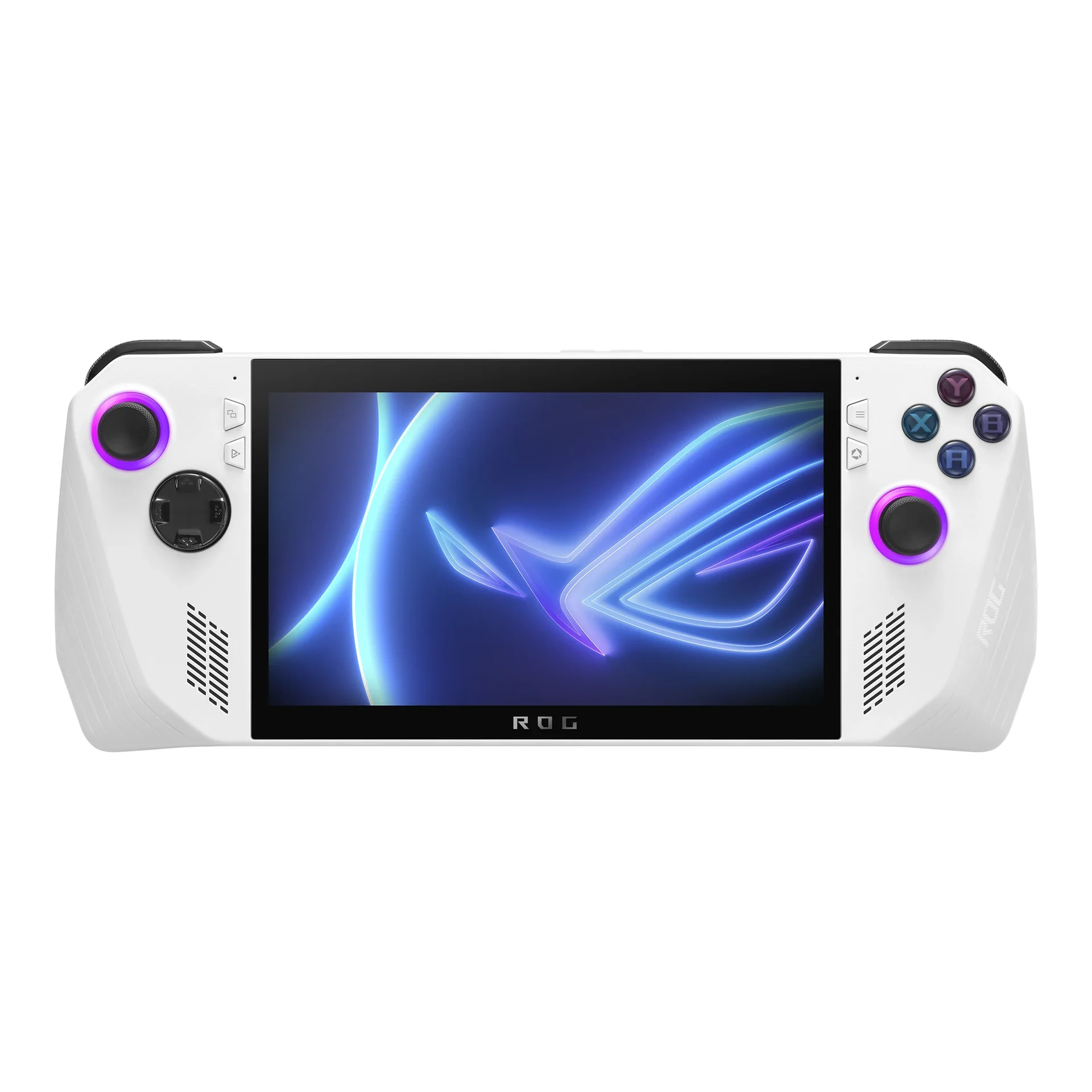
The ASUS ROG Ally (2023) Z1 Extreme was ASUS's first Windows handheld, seen as the main Windows rival to Steam Deck. It uses AMD's handheld-focused Ryzen Z1 Extreme, a 7-inch 1080p 120Hz screen, 16GB LPDDR5 and a 512GB SSD, at 608g. Reviews praised the screen and performance but noted Windows 11 is awkward on a small screen and the 40Wh battery is short-lived. The biggest controversy was a microSD reader that could damage cards when hot; ASUS acknowledged the issue in July 2023 and said it would fix and repair affected units (The Verge, Tom's Hardware). Succeeded by the ROG Ally X.
Saved temporarily in this device’s browser only. No long-term storage or syncing.
Official list prices
Pending and starting prices do not confirm the price of a specific variant. Check each market’s currency and tax status.
No verified official price available
Product information
- Brand:
- ASUS
- Category:
- Game consoles & handhelds
- Product line:
- ROG Ally
- Release date:
- 2023-06-13
- Product ID:
- AKS-20261017-DU3T
- Official information:
- View manufacturer page
- Last updated:
- Oct 29, 2026
Specifications
Body
- Width
- 280 mm
- Height
- 111 mm
- Depth
- 32.4 mm
- Weight
- 608 g
- Console form factor
- Windows handheld gaming PC
Performance & system
- Processor
- AMD Ryzen Z1 Extreme (Zen 4, 4nm, 8 cores/16 threads, up to 5.1GHz)
- Graphics processor
- AMD Radeon (RDNA 3, 12 CUs, up to 2.7GHz, 8.6 TFLOPS)
- Memory
- 16 GB
- Memory type
- LPDDR5 6400MT/s
- Storage
- 512 GB
- Storage type
- PCIe 4.0 NVMe M.2 2230 SSD
- Operating system
- Windows 11 Home
- Expandable storage
- UHS-II microSD card reader
Display
- Display size
- 7 in
- Display resolution
- 1920 × 1080
- Display technology
- IPS-level, Gorilla Glass Victus, 10-point touch, FreeSync Premium
- Refresh rate
- 120 Hz
- Peak brightness
- 500 nits
Battery & power
- Battery energy
- 40 Wh
- Charging power
- 65 W
Connectivity & compatibility
- Ports
- USB-C (USB 3.2 Gen 2, DisplayPort 1.4), ROG XG Mobile interface, microSD, 3.5mm
- Wireless connectivity
- Wi-Fi 6E (tri-band 2×2)
- Bluetooth version
- 5.4 (may vary with OS version)
Features
- Optical drive
- None
- Detachable controllers
- No
- Game platforms & compatibility
- Windows PC games (Steam, Xbox app, Epic, etc.)
Product reviews
Based on 4 reviews
Based on a limited sample of reviews.
Dave2D: ROG Ally (Z1 Extreme) Review — SD Card Cooking Defect, 60m Battery, Windows Hell
Machine translated · Original language: Chinese (Taiwan) · Source language: Chinese (Taiwan)
Source
Dave2D
Key Takeaways
- The MicroSD slot is placed directly over the boiling thermal exhaust heatsink, permanently frying dozens of users' expensive SD cards.
- Off-wall battery life in 25W Turbo mode collapses in just 50 to 60 minutes under modern 3A game loads.
- Windows 11 remains a nightmare on a 7-inch handheld: tiny dialogue boxes, ghosting virtual keyboards, and surprise reboot updates.
- Modern Standby sleep bugs regularly wake the console inside carrying cases, cooking itself boiling hot and draining battery.
✅ Pros
- AMD Z1 Extreme delivers desktop-class handheld graphical muscle
- Silky 120Hz display with FreeSync Premium VRR eliminates screen tearing
- Dual-fan thermal solution runs remarkably quiet
❌ Cons
- Heatsink placement physically cooks MicroSD cards
- Abysmal sub-60-minute Turbo battery life
- Frustrating, clunky Windows 11 touch navigation
- Sleep wake-up bug boils inside carrying bags
📝 Verdict
"ROG Ally offers brilliant 120Hz VRR gaming crippled by an unforgivable hardware SD-cooking flaw and 60-minute battery."
View original
Dave2D:燒毀記憶卡的硬體設計災難,25W 模式下一小時尿崩續航
來源
Dave2D
重點摘要
- MicroSD 讀卡機插槽位置緊貼頂部散熱排風孔,高溫烘烤導致內部讀卡晶片故障並永久燒毀大量玩家的高價記憶卡。
- 在 25W/30W 增強插電模式下散熱風扇狂轉,拔掉電源玩 3A 遊戲僅能支撐 50 到 60 分鐘,必須隨身攜帶尿袋行動電源。
- Windows 11 系統在 7 吋掌機上的操作體驗極度糟糕,微型彈窗、虛擬鍵盤彈不出與系統更新重啟頻繁令人崩潰。
- 休眠待機時經常無故自我喚醒並在收納包內高溫悶燒,拿出來時整台機器發燙電量歸零。
✅ 優點
- AMD Z1 Extreme 晶片 1080p 遊戲運算效能強悍
- 120Hz VRR 可變更新率螢幕徹底消除畫面撕裂
- 雙風扇散熱架構在掌機中運作相當安靜
❌ 缺點
- 記憶卡插槽過熱燒毀高價記憶卡
- 增強模式下不足 1 小時崩潰續航
- Windows 11 掌機界面極度反人類
- 收納包內經常睡死發燙異常喚醒
📝 總結評語
「ROG Ally 螢幕與性能領先,但燒記憶卡的致命硬傷與尿崩一小時電池,注定是一台不成熟的實驗品。」
This AI-generated summary is based on the original source and was not written by its creator. It may contain errors or omissions; please consult the original source.
Max Dendy: Long-term impressions—he likes a lot about it, but doesn't recommend it
Machine translated · Original language: Chinese (Taiwan)
Source
- Video: Asus ROG Ally - Long-term Review
- Channel: Max Dendy | Type: Long-term review | Based on: YouTube transcript
Key points
- Because the Steam Deck can't play games with anti-cheat like Fortnite, Valorant and Call of Duty, and installing Windows on the Steam Deck was a poor experience, he bought a ROG Ally to play Game Pass
- Windows support is better, and Armoury Crate makes it feel more like a console; the chip is more powerful than the Steam Deck's, so it can play some AAA titles and smoothly emulate PS3 and Switch games
- He loves the screen (higher resolution and refresh rate than the Steam Deck), though the bezels are thick
- Problems: the microSD slot can burn out memory cards (a known design flaw); there are only two back buttons; the 40Wh battery dies in about an hour playing AAA games at 25W
- The Z1 and Z1 Extreme versions are easily confused (the Z1 is even slower than the Steam Deck); the XG Mobile external GPU is absurdly priced; ASUS's return/customer service policies are poor
✅ Pros
- Windows game compatibility
- Strong performance, good emulation
- Excellent screen
❌ Cons
- microSD slot burns out cards
- Short battery life
- Few back buttons
- Two easily confused versions
- Poor after-sales service
📝 Verdict
He wouldn't recommend it to friends: too many problems and risks; he suggests considering the Lenovo Legion Go or the ROG Ally X, which fixes most of the issues.
View original
Max Dendy:長期使用心得——喜歡很多地方,但不推薦
來源
- 影片:Asus ROG Ally - Long-term Review
- 頻道:Max Dendy|類型:長期使用評測|摘要依據:YouTube 字幕逐字稿
重點摘要
- 他因 Steam Deck 無法玩 Fortnite、Valorant、決勝時刻等含反作弊的遊戲,且在 Steam Deck 裝 Windows 體驗很差,改買 ROG Ally 玩 Game Pass
- Windows 支援更好,Armoury Crate 讓操作更像主機;晶片比 Steam Deck 強,可玩部分 3A 大作,也能流暢模擬 PS3 與 Switch 遊戲
- 他很喜歡螢幕(解析度與更新率都高於 Steam Deck),只是邊框很粗
- 問題:microSD 卡槽可能燒壞記憶卡(已知設計缺陷);只有兩顆背鍵;40Wh 電池在 25W 下玩 3A 遊戲約一小時就沒電
- 另有 Z1 與 Z1 Extreme 兩種版本容易混淆(Z1 甚至比 Steam Deck 慢);XG Mobile 外接顯卡價格離譜;ASUS 的退貨/客服政策很差
✅ 優點
- Windows 遊戲相容性
- 效能強、模擬器表現好
- 螢幕優秀
❌ 缺點
- microSD 槽燒卡缺陷
- 續航短
- 背鍵少
- 兩種版本易混淆
- 售後服務差
📝 總結評語
他不會推薦給朋友:問題與風險太多;建議改考慮 Lenovo Legion Go 或修正了多數問題的 ROG Ally X。
This AI-generated summary is based on the original source and was not written by its creator. It may contain errors or omissions; please consult the original source.
Dave2D: Beware the ROG Ally reviews—it's 15–20% faster after firmware updates
Machine translated · Original language: Chinese (Taiwan)
Source
- Video: Beware the ASUS ROG Ally Reviews
- Channel: Dave2D | Type: Professional review | Based on: YouTube transcript
Key points
- He points out that almost all early reviews were flawed, and the blame lies with ASUS: the review units' drivers and firmware were too immature
- He noticed the numbers were off (the AYANEO 2S with the same chip was clearly faster), contacted ASUS and received a series of updates; the latest makes the product about 15–20% faster than on day one, with improvements across the 15W and 25W Turbo modes
- The screen is great, up to 1080p 120Hz, but most AAA games can't reach that, so he mostly tested at 720p
- Compared with the Steam Deck, setting up Windows games is a hassle: you have to adjust V-Sync, resolution, graphics quality and button mapping yourself; the Steam Deck can run less demanding games at 60fps at 3W, which the Ally can't; the preinstalled Office and McAfee should be removed
- He worries ASUS will stop supporting this generation once it releases an Ally 2, whereas Valve has promised long-term support for the Steam Deck
✅ Pros
- Big performance boost after updates
- 1080p 120Hz screen
- Faster than the Steam Deck
❌ Cons
- Tedious Windows setup
- Less efficient at low power than the Steam Deck
- Preinstalled software
- Questionable long-term support
📝 Verdict
It's a great product; as long as ASUS keeps supporting it, it will be better than any Windows handheld on the market.
View original
Dave2D:小心 ROG Ally 評測——韌體更新後快了 15–20%
來源
- 影片:Beware the ASUS ROG Ally Reviews
- 頻道:Dave2D|類型:專業評測|摘要依據:YouTube 字幕逐字稿
重點摘要
- 他指出幾乎所有早期評測都有問題,責任在 ASUS:送測機的驅動與韌體太不成熟
- 他發現數據不對勁(同樣晶片的 AYANEO 2S 明顯更快),聯絡 ASUS 後陸續收到更新,最新版讓產品比首日快約 15–20%,15W 與 25W Turbo 模式全面提升
- 螢幕很棒,最高 1080p 120Hz,但多數 3A 遊戲跑不到,他多以 720p 測試
- 與 Steam Deck 相比,Windows 遊戲設定麻煩:垂直同步、解析度、畫質、按鍵都要自己調;Steam Deck 可在 3W 跑 60fps 的低需求遊戲,Ally 做不到;預裝 Office、McAfee 應移除
- 他擔心 ASUS 未來推出 Ally 2 後就不再支援這代;Valve 則承諾 Steam Deck 長期支援
✅ 優點
- 更新後效能大幅提升
- 1080p 120Hz 螢幕
- 比 Steam Deck 快
❌ 缺點
- Windows 設定繁瑣
- 低功耗效率不如 Steam Deck
- 預裝軟體
- 長期支援存疑
📝 總結評語
這是很棒的產品;只要 ASUS 持續支援,它會比市面上任何 Windows 掌機都好。
This AI-generated summary is based on the original source and was not written by its creator. It may contain errors or omissions; please consult the original source.
Digital Foundry: The fastest PC handheld, but is it the best?
Machine translated · Original language: Chinese (Taiwan)
Source
- Video: Asus ROG Ally Review vs Steam Deck: The Fastest PC Handheld... But Is It The Best?
- Channel: Digital Foundry | Type: Professional review | Based on: YouTube transcript
Key points
- ASUS brings a premium brand into the market of the Steam Deck and Chinese-brand Windows handhelds; the box contains only the device and a 65W power supply
- Much smaller than the Steam Deck and very light at 608 grams, with textured grips, crisp shoulder buttons and back buttons; rumble feedback is cruder than the Steam Deck's
- Used for about two weeks without encountering the stuck-button issue others reported, but in A Plague Tale: Requiem he couldn't use the sling and had to switch to an external controller
- The 1080p 120Hz screen with VRR support is a major highlight; but the 40Wh battery drains quickly in Turbo mode at 40–48W, and the 4nm chip's efficiency gains are less than expected
- Windows makes Game Pass and the like easier to use, but Armoury Crate integrates poorly with Windows, and the software experience lags far behind the Steam Deck; he often had to connect a keyboard and mouse to configure things
✅ Pros
- Strongest performance
- Light
- VRR 120Hz screen
- Supports Game Pass
❌ Cons
- Poor battery life
- Software experience lags behind
- Button bugs in some games
- Limited I/O
📝 Verdict
It's a good but flawed handheld PC; as a handheld, he thinks ASUS's first generation isn't there yet and the Steam Deck still leads, but PC gamers who want to break through the Steam Deck's performance limits may be tempted.
View original
Digital Foundry:最快的 PC 掌機,但是最好的嗎?
來源
- 影片:Asus ROG Ally Review vs Steam Deck: The Fastest PC Handheld... But Is It The Best?
- 頻道:Digital Foundry|類型:專業評測|摘要依據:YouTube 字幕逐字稿
重點摘要
- 華碩把高階品牌帶進 Steam Deck 與中國品牌 Windows 掌機的市場;盒內只有主機與 65W 電源
- 比 Steam Deck 小得多、608 克非常輕,握把有紋理、肩鍵清脆、有背鍵;震動回饋比 Steam Deck 粗糙
- 使用約兩週,沒遇到他人回報的按鍵卡住問題,但《瘟疫傳說:安魂曲》中無法使用投石索,只能改外接手把
- 1080p 120Hz 支援 VRR 的螢幕是一大亮點;但 40Wh 電池在 Turbo 模式 40–48W 下耗電很快,4nm 晶片效率提升不如預期
- Windows 讓 Game Pass 等更容易使用,但 Armoury Crate 與 Windows 整合差,軟體體驗遠落後 Steam Deck,他常要接鍵鼠才能設定
✅ 優點
- 效能最強
- 輕巧
- VRR 120Hz 螢幕
- 支援 Game Pass
❌ 缺點
- 續航差
- 軟體體驗落後
- 部分遊戲按鍵 Bug
- I/O 有限
📝 總結評語
它是好但有缺陷的掌上型 PC;作為掌機,他認為華碩第一代還沒做到,Steam Deck 仍領先,但想突破 Steam Deck 效能限制的 PC 玩家可能會心動。
This AI-generated summary is based on the original source and was not written by its creator. It may contain errors or omissions; please consult the original source.