
No photos recorded for this color yet
MacBook Pro (14-inch, 2021)
Product ID: AKS-20261017-8WQT
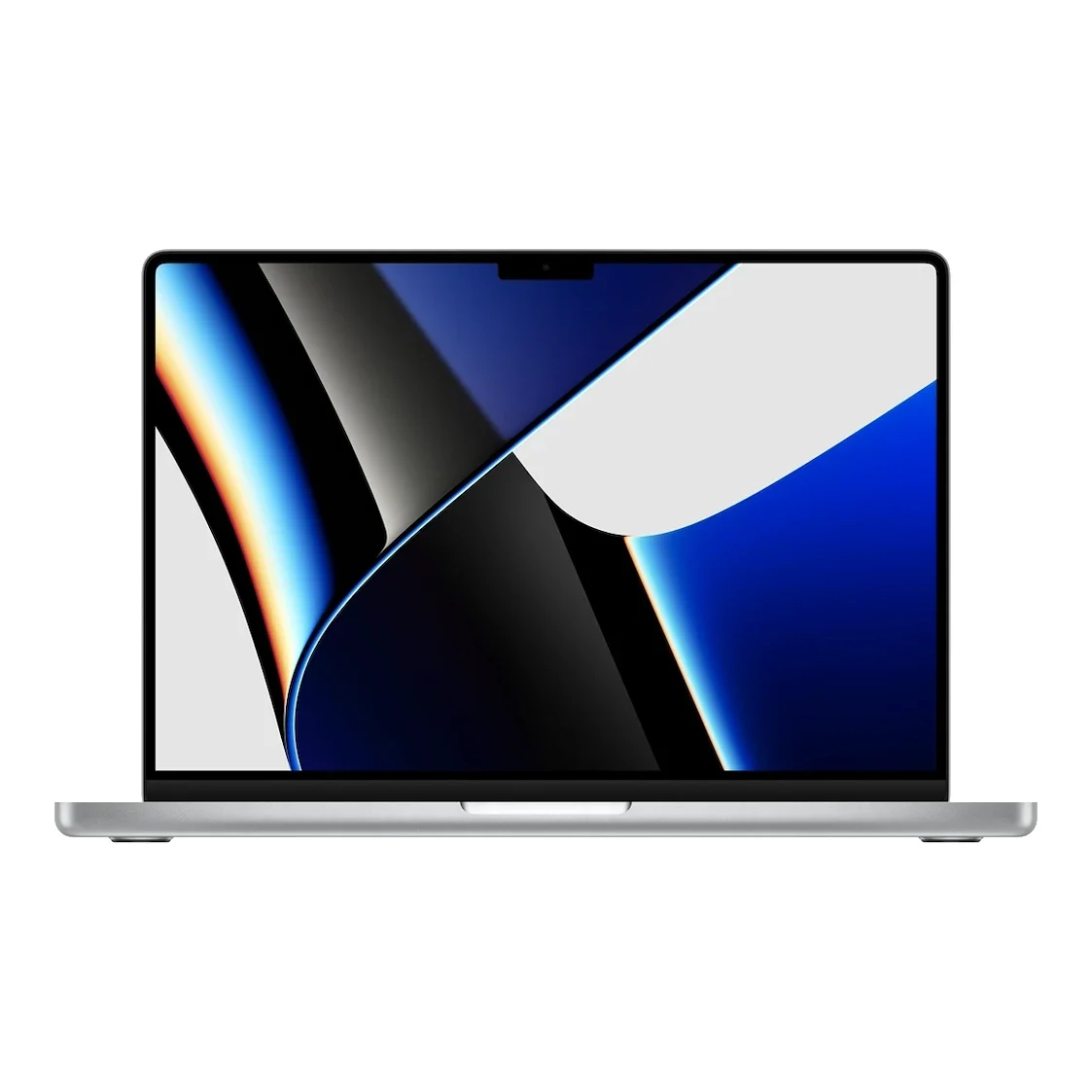
The MacBook Pro 14-inch (2021) is Apple's first M1 Pro/M1 Max pro laptop and a major reversal of its 2016-era design. It dropped the Touch Bar and brought back HDMI, an SDXC slot and MagSafe 3 charging, plus a 14.2-inch Liquid Retina XDR (mini-LED, ProMotion up to 120Hz, 1,600 nits peak). It also introduced a display notch housing the 1080p camera; reviews including TechCrunch welcomed the returning ports while the notch proved divisive. The base model has an 8-core CPU/14-core GPU M1 Pro, 16GB unified memory, a 512GB SSD and a 70Wh battery. Discontinued.
Saved temporarily in this device’s browser only. No long-term storage or syncing.
Official list prices
Pending and starting prices do not confirm the price of a specific variant. Check each market’s currency and tax status.
No verified official price available
Product information
- Brand:
- Apple
- Category:
- Laptop
- Product line:
- MacBook Pro
- Release date:
- 2021-10-26
- Product ID:
- AKS-20261017-8WQT
- Official information:
- View manufacturer page
- Last updated:
- Oct 29, 2026
Specifications
Body and display
- Width
- 312.6 mm
- Depth
- 221.2 mm
- Maximum height
- 15.5 mm
- Weight
- 1.6 kg
- Display count
- 1
- Display size
- 14.2 in
- Display resolution
- 3024 × 1964 (254 ppi)
- Display technology
- Liquid Retina XDR (mini-LED), ProMotion up to 120Hz
- Refresh rate
- 120 Hz
- Touchscreen
- No
Performance and storage
- Operating system
- macOS
- OS version
- macOS Monterey (at launch)
- Processor
- Apple M1 Pro (8-core CPU: 6 performance + 2 efficiency); configurable to 10-core M1 Pro or M1 Max
- Graphics
- 14-core GPU (16/24/32-core options)
- NPU
- 16-core Neural Engine
- Memory
- 16 GB
- Memory type
- Unified memory (32GB/64GB options)
- Storage
- 512 GB
- Storage type
- SSD
- Upgradeable memory
- No
- Upgradeable storage
- No
Power and connectivity
- Battery capacity
- 70 Wh
- Power adapter
- 67 W
- Ports
- 3× Thunderbolt 4 (USB-C), HDMI, SDXC card slot, MagSafe 3, 3.5mm headphone jack
- Wireless
- Wi-Fi 6, Bluetooth 5.0
- Camera
- 1080p FaceTime HD camera
- Color
- Silver, Space Gray
Display
- Peak brightness
- 1,600 nits
Product reviews
Based on 4 reviews
Based on a limited sample of reviews.
Snazzy Labs: MacBook Pro 14 (2021) Review — Chunky Brick Chassis, Screen Smearing, Slow SD
Machine translated · Original language: Chinese (Taiwan) · Source language: Chinese (Taiwan)
Source
Snazzy Labs
Key Takeaways
- Replaced sleek wedge curves with a thick, boxy brick silhouette; at 15.5mm and 1.6kg, it feels substantially heavier.
- First-generation Mini-LED Liquid Retina XDR suffers slow pixel decay, creating visible smearing on dark scrolling.
- Integrated SDXC reader is capped at UHS-II with limited internal bus speeds (~250MB/s), throttling elite CFexpress/SD cards.
- Debuted the controversial display notch that clipped into long menu bars while lacking Face ID hardware.
✅ Pros
- Revolutionary M1 Pro architecture redefined laptop performance and battery
- Triumphant return of MagSafe, HDMI, and full SD card slot
- Gorgeous Mini-LED HDR with 1,600 nit peaks
❌ Cons
- Chunky blocky chassis feels substantially heavier
- Visible slow pixel response smearing in dark mode
- SD card reader bandwidth bottlenecked around 250MB/s
- Notch debuts without Face ID biometric cameras
📝 Verdict
"The 2021 MBP 14 marked Apple's triumphant return to pro needs, burdened slightly by thick bulk and slow screen decay."
View original
Snazzy Labs:厚實方正的方磚機身,暗色殘影與慢速的 SD 卡插槽
來源
Snazzy Labs
重點摘要
- 捨棄舊款流線楔形外觀改為方正厚實輪廓,厚度達 15.5mm 且重量達 1.6 公斤,握在手上笨重感極其明顯。
- 初代 Liquid Retina XDR 螢幕像素響應時間偏慢,在高對比暗色背景下快速滑動文字時產生惱人的拖影殘影。
- 內建的 SDXC 讀卡機僅支援 UHS-II 且內部傳輸頻寬受限於約 250MB/s,無法跑滿高階相機的高速記憶卡極限。
- 初次登場的頂部大劉海遮擋了部分專業軟體的選單列項目,且完全沒有提供 Face ID 解鎖功能。
✅ 優點
- M1 Pro 晶片劃時代的強大運算與驚人能耗比
- 回歸 MagSafe 磁吸充電、HDMI 與 SD 接口大獲好評
- Mini-LED 螢幕峰值 1600 尼特動態對比震撼
❌ 缺點
- 方磚外觀笨重厚實缺乏舊款輕巧
- 高對比暗色滾動時存在顯著像素殘影
- SD 卡槽頻寬受限無法發揮極限速度
- 初次引入大劉海卻欠缺 Face ID
📝 總結評語
「2021 MBP 14 是 Apple Silicon 的里程碑,但厚實外型、螢幕殘影與 SD 降速,是重返專業道路上的初試代價。」
This AI-generated summary is based on the original source and was not written by its creator. It may contain errors or omissions; please consult the original source.
Hardware Canucks after two years: Still fast, quiet and reliable
Machine translated · Original language: Chinese (Taiwan)
Source
- Video: Apple M1 Pro MacBook Pro - A Long Term User Review
- Channel: Hardware Canucks | Type: Long-term review | Based on: YouTube transcript
Key points
- Used for two years as the main video editing machine (at the office, at home and on business trips); not upgraded because the M2 Pro is only about 10–15% faster and looks the same
- The build is still nearly like new: no obvious scratches on the body or bottom panel, and the hinge hasn't loosened; the keyboard is reliable (unlike the butterfly keyboard), though the keycap surfaces are slightly worn and pick up oil easily
- He warns against silicone keyboard covers, as forums have cases of screens cracking because of them; the trackpad is so good he doesn't bring a mouse on trips; the speakers are still among the best in any laptop
- Still smooth after upgrading to macOS Sonoma, with the same performance plugged in and on battery, and efficiency is still amazing
- Advice: a refurbished M1 Pro (16GB/512GB) costs about US$1,929, only about US$200 less than the M2 Pro, and he thinks the refurbished M1 Pro is better value
✅ Pros
- Durable build
- Top-tier speakers and trackpad
- No performance drop on battery
- Efficient and quiet
❌ Cons
- Keycaps pick up oil easily and show surface wear
- Keyboard covers can damage the screen
📝 Verdict
After two years it's still fast, quiet and reliable, still the top choice for mobile creators, and a refurbished unit is worth considering.
View original
Hardware Canucks 兩年使用:依舊快速、安靜、可靠
來源
- 影片:Apple M1 Pro MacBook Pro - A Long Term User Review
- 頻道:Hardware Canucks|類型:長期使用評測|摘要依據:YouTube 字幕逐字稿
重點摘要
- 作為主要影片剪輯工具使用兩年(辦公室、家中與出差),因 M2 Pro 只提升約 10–15% 且外觀相同而未升級
- 做工至今近乎全新:機身與底板無明顯刮痕、鉸鏈不鬆動;鍵盤可靠(不像蝴蝶鍵盤),鍵帽表面略有磨損、容易沾油
- 他警告不要用矽膠鍵盤膜,論壇上有因此壓裂螢幕的案例;觸控板好到出差不帶滑鼠;喇叭仍是筆電中頂尖
- 升級 macOS Sonoma 後依然流暢,插電與用電池效能相同,能效依舊驚人
- 建議:整新 M1 Pro(16GB/512GB)約 1,929 美元,只比 M2 Pro 便宜約 200 美元,他認為買整新 M1 Pro 更划算
✅ 優點
- 耐用做工
- 頂級喇叭與觸控板
- 電池模式效能不降
- 能效與安靜
❌ 缺點
- 鍵帽易沾油、表面磨損
- 鍵盤膜可能壓傷螢幕
📝 總結評語
兩年後仍快速、安靜、可靠,仍是移動創作者的首選,整新機值得考慮。
This AI-generated summary is based on the original source and was not written by its creator. It may contain errors or omissions; please consult the original source.
Dave2D: A tool for professionals with unprecedented efficiency, but most people don't need it
Machine translated · Original language: Chinese (Taiwan)
Source
- Video: M1 Max MacBook Pro Review! (14" + 16")
- Channel: Dave2D | Type: Professional review | Based on: YouTube transcript
Key points
- He calls it a "function-first" design: a thicker body in exchange for more ports, a bigger battery and better cooling, which he loves
- The notch is fine in use: full-screen apps and black backgrounds hide it, and the mouse cursor passes right through it; sadly there's no Face ID
- The Mini-LED Liquid Retina XDR with ProMotion adaptive 120Hz is the first time he's seen this on a laptop
- Apple's own software like Final Cut, Logic and Xcode benefits most; Premiere, which he uses, wasn't faster than his Windows machine
- Efficiency is amazing: the fans are almost inaudible at full load; battery life doesn't reach the officially claimed 21 hours, but it's still the longest of any high-performance laptop he's tested, with the 16-inch especially impressive
✅ Pros
- Function-first design and ports
- XDR ProMotion screen
- Efficient and quiet
- Long battery life
❌ Cons
- Expensive
- No Face ID
- Limited acceleration for third-party software
📝 Verdict
Great for professionals who truly need it; but they're expensive, they're just tools, and he doesn't recommend buying one for fun.
View original
Dave2D:給專業人士的工具,能效前所未見,但多數人不需要
來源
- 影片:M1 Max MacBook Pro Review! (14" + 16")
- 頻道:Dave2D|類型:專業評測|摘要依據:YouTube 字幕逐字稿
重點摘要
- 他稱這是『功能優先』的設計:機身變厚換來更多連接埠、更大電池與更好散熱,他很喜歡
- 瀏海用起來沒問題:全螢幕 App、黑色背景都會隱藏,滑鼠游標可直接穿過;可惜沒有 Face ID
- Mini-LED Liquid Retina XDR 搭配 ProMotion 自適應 120Hz,他說是第一次在筆電上看到
- Final Cut、Logic、Xcode 等 Apple 自家軟體受益最大;他用的 Premiere 並未快過他的 Windows 機
- 能效驚人:滿載時風扇幾乎聽不到;續航不如官方宣稱的 21 小時,但仍是他測過最長的高效能筆電,16 吋尤其出色
✅ 優點
- 功能優先的設計與連接埠
- XDR ProMotion 螢幕
- 能效與安靜
- 續航長
❌ 缺點
- 價格昂貴
- 無 Face ID
- 第三方軟體加速有限
📝 總結評語
對真正需要的專業人士來說很棒;但它們很貴,只是工具,不建議當成好玩的消費。
This AI-generated summary is based on the original source and was not written by its creator. It may contain errors or omissions; please consult the original source.
Tom's Guide: It puts the Pro back in MacBook Pro, but the notch and price raise eyebrows
Machine translated · Original language: Chinese (Taiwan)
Source
- Video: MacBook Pro 2021 (14-inch) REVIEW: Pros and Cons
- Channel: Tom’s Guide | Type: Professional review | Based on: YouTube transcript
Key points
- Adds a screen notch (housing a 1080p webcam) that only occupies the middle of the menu bar; the body has a flatter design, with MacBook Pro embossed on the bottom
- MagSafe returns (USB-C charging still works), and HDMI and an SD card reader are added; but there's no USB-A, so he still needs adapters
- The Touch Bar is removed and full-size function keys are back, which pleases him since he often touched it by accident
- The 1080p webcam and new microphones are clearly better than the 2020 model's 720p
- The test unit costs US$2,899 (starting at US$1,999), over US$800 more than a similarly specced XPS 13, but wins on performance, screen and battery life; battery life is still shorter than the 13-inch M1 MacBook Pro
✅ Pros
- M1 Pro performance
- Gorgeous screen
- MagSafe, HDMI and SD card reader return
- Touch Bar removed
❌ Cons
- Screen notch
- Expensive
- No USB-A
- Shorter battery life than the 13-inch M1
📝 Verdict
One of the best MacBook Pros in years and the right choice for many people, but the notch and price may make some wait a season or two.
View original
Tom's Guide:把 Pro 帶回 MacBook Pro,但瀏海與價格令人皺眉
來源
- 影片:MacBook Pro 2021 (14-inch) REVIEW: Pros and Cons
- 頻道:Tom’s Guide|類型:專業評測|摘要依據:YouTube 字幕逐字稿
重點摘要
- 新增螢幕瀏海(容納 1080p 視訊鏡頭),只佔選單列中間區域;機身改為較平的設計,底部壓印 MacBook Pro 字樣
- MagSafe 回歸(仍可用 USB-C 充電),新增 HDMI 與 SD 讀卡機;但沒有 USB-A,他仍需轉接頭
- 移除 Touch Bar、恢復全尺寸功能鍵,他很高興,因為常誤觸
- 1080p 視訊鏡頭與新麥克風明顯優於 2020 款 720p
- 測試機 2,899 美元(起價 1,999 美元),比同規 XPS 13 貴 800 多美元,但效能、螢幕與續航都勝出;續航仍短於 13 吋 M1 MacBook Pro
✅ 優點
- M1 Pro 效能
- 亮麗螢幕
- MagSafe、HDMI、SD 讀卡機回歸
- 取消 Touch Bar
❌ 缺點
- 螢幕瀏海
- 價格昂貴
- 無 USB-A
- 續航短於 13 吋 M1
📝 總結評語
這是多年來最好的 MacBook Pro 之一,對許多人是對的選擇,但瀏海與價格可能讓部分人再等一兩季。
This AI-generated summary is based on the original source and was not written by its creator. It may contain errors or omissions; please consult the original source.