
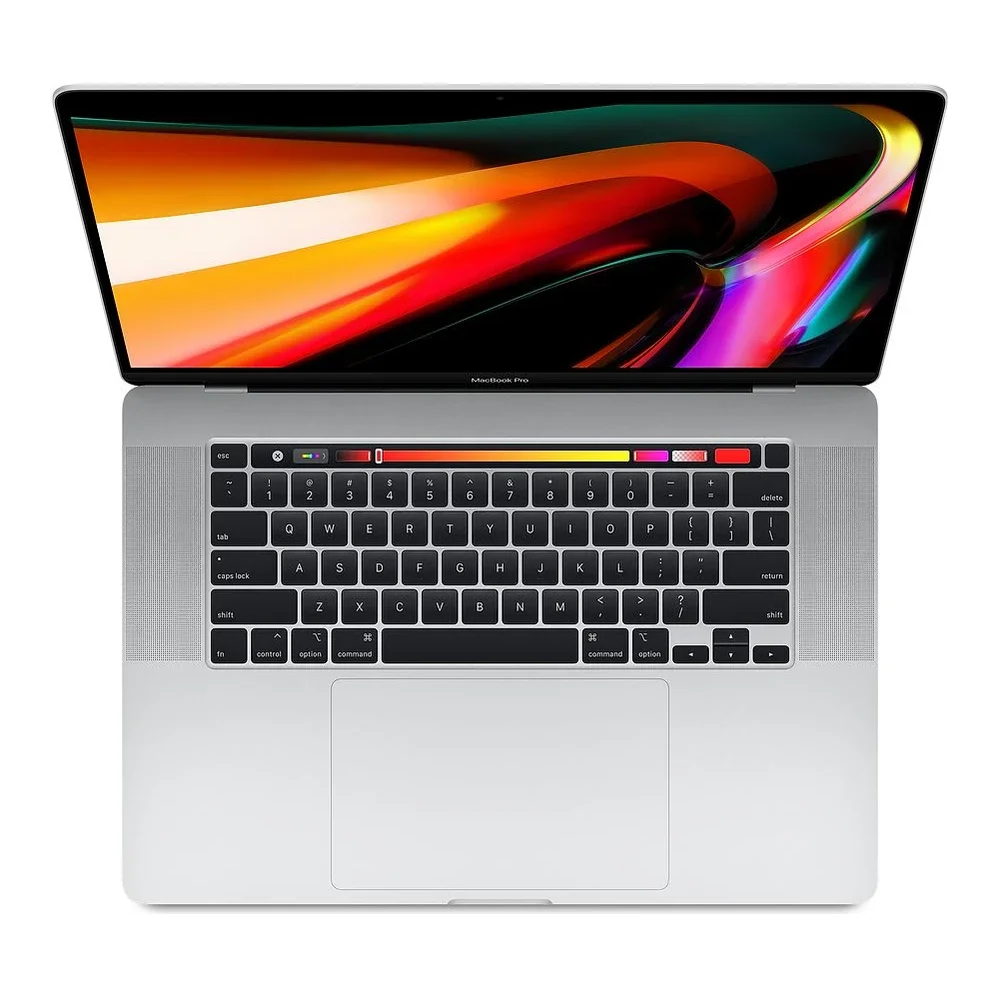
No photos recorded for this color yet
MacBook Pro (16-inch, 2019)
Product ID: AKS-20261017-386R
The MacBook Pro 16-inch (2019) is the last Intel flagship, replacing the 15-inch MacBook Pro, and the last Intel 16-inch model before Apple Silicon. Its biggest change was dropping the failure-prone, much-criticized butterfly keyboard for a scissor-switch Magic Keyboard with a physical Esc key; The Verge cited iFixit's teardown confirming the scissor mechanism. It has a 16-inch Retina display, 9th-gen Intel Core i7/i9, AMD Radeon Pro 5300M/5500M graphics, a 100Wh battery (the airline carry-on limit) and four Thunderbolt 3 ports. Discontinued.
Saved temporarily in this device’s browser only. No long-term storage or syncing.
Official list prices
Pending and starting prices do not confirm the price of a specific variant. Check each market’s currency and tax status.
No verified official price available
Product information
- Brand:
- Apple
- Category:
- Laptop
- Product line:
- MacBook Pro
- Release date:
- 2019-11-13
- Product ID:
- AKS-20261017-386R
- Official information:
- View manufacturer page
- Last updated:
- Oct 29, 2026
Specifications
Body and display
- Width
- 357.9 mm
- Depth
- 245.9 mm
- Maximum height
- 16.2 mm
- Weight
- 2 kg
- Display count
- 1
- Display size
- 16 in
- Display resolution
- 3072 × 1920 (226 ppi)
- Display technology
- Retina LED-backlit IPS, P3 wide color, True Tone
- Touchscreen
- No
Performance and storage
- Operating system
- macOS
- OS version
- macOS Catalina (at launch)
- Processor
- 2.6GHz 6-core Intel Core i7 (Turbo 4.5GHz); 8-core Core i9 options
- Graphics
- AMD Radeon Pro 5300M (4GB GDDR6) + Intel UHD Graphics 630; 5500M/5600M options
- Memory
- 16 GB
- Memory type
- DDR4 2666MHz (32GB/64GB options)
- Storage
- 512 GB
- Storage type
- SSD
- Upgradeable memory
- No
- Upgradeable storage
- No
Power and connectivity
- Battery capacity
- 100 Wh
- Power adapter
- 96 W
- Ports
- 4× Thunderbolt 3 (USB-C), 3.5mm headphone jack
- Wireless
- Wi-Fi 5 (802.11ac), Bluetooth 5.0
- Camera
- 720p FaceTime HD camera
- Color
- Silver, Space Gray
Display
- Peak brightness
- 500 nits
Product reviews
Based on 4 reviews
Based on a limited sample of reviews.
Dave2D: 16-inch MacBook Pro (2019) Retrospective — Jet Engine Fans & Thermal Throttling
Machine translated · Original language: Chinese (Taiwan) · Source language: Chinese (Taiwan)
Source
Dave2D
Key Takeaways
- Intel Core i9 spikes to 100°C instantly under load, screaming with jet-engine fan noise that disrupts rooms.
- Aggressive thermal throttling forces clocks below base frequency, crippling long render pipelines.
- Battery stamina evaporates in under 90 minutes when pushed off the wall charger with throttled GPU power.
- Connecting an external 4K monitor forces discrete GPU draw, roasting your lap even during simple web tasks.
✅ Pros
- Welcome return of reliable scissor-switch Magic Keyboard
- Expansive 16-inch Retina display canvas
- Class-leading 6-speaker acoustic system
❌ Cons
- Deafening jet-engine fan whine under load
- Intel Core i9 thermal throttling at 100°C
- Dismal 90-minute battery stamina under workload
- Lap-scorching surface heat with external displays
📝 Verdict
"The 2019 16-inch MacBook Pro was Intel's swan song: loud, hot, and power-thirsty, proving why M-series was mandatory."
View original
Dave2D:Intel 時代的黃昏——噴射機般的風扇噪音與高溫降頻
來源
Dave2D
重點摘要
- 搭載的 Intel Core i9 在多工或渲染時溫度秒破 100°C,雙風扇全速咆哮宛如噴射客機起飛,噪音極度刺耳。
- 高溫觸發嚴重的熱降頻,CPU 頻率大幅跌破基準時脈,導致長效能表現甚至不如短程運算。
- 電池在拔掉電源高負載下不到 1.5 小時便告急,且不插電時顯卡與處理器強制鎖定性能。
- 外接 4K 螢幕時獨立顯卡強制常駐開啟,即使待機滑網頁機身底部也燙到無法放在腿上使用。
✅ 優點
- 揮別蝴蝶鍵盤回歸剪刀腳鍵盤手感良好
- 16 吋視網膜螢幕視野寬廣細膩
- 六揚聲器低音下潛在當時極為震撼
❌ 缺點
- 咆哮如飛機起飛的刺耳風扇噪音
- Intel i9 破百度嚴重高溫降頻
- 重度使用僅 1.5 小時的崩潰續航
- 外接螢幕時機身燙手無法放腿上
📝 總結評語
「2019 款 16 吋 MBP 是 Intel 筆電的最後絕唱,燙手熱量、咆哮風扇與尿崩續航完美襯托出 Apple Silicon 的偉大。」
This AI-generated summary is based on the original source and was not written by its creator. It may contain errors or omissions; please consult the original source.
Linus Tech Tips: The 16-inch MacBook Pro that even I can't hate
Machine translated · Original language: Chinese (Taiwan)
Source
- Video: Even I Can’t Hate the 16” Macbook Pro 2019
- Channel: Linus Tech Tips | Type: Professional review | Based on: YouTube transcript
Key points
- He was ready to tear into it, but found a new keyboard, slimmer bezels and a physical Esc key; the return to a scissor-switch keyboard brings better feel and key travel, and it sounds nicer too
- The inverted-T arrow keys are his favorite layout improvement; the Touch ID power button is now separate and matte
- The body is wider to fit new speakers: fuller bass, clearer mids, and no harshness at maximum volume
- Thermal behavior under macOS is interesting: during Blender renders it stays above base clock, running 10% higher than the 15-inch; but under Boot Camp/Windows, performance and thermals are poor, because Apple's fan and CPU tuning only takes effect in macOS
- iFixit gives it a repairability score of just 1 (glue and rivets); at the same specs it's about US$800 more than a Dell XPS 15, but has a brighter screen and stronger CPU performance
✅ Pros
- Improved keyboard
- Big speaker improvement
- Good performance and thermals under macOS
- Bright screen
❌ Cons
- Poor performance under Windows/Boot Camp
- Extremely poor repairability
- Expensive (the Apple tax)
- No SD card slot
📝 Verdict
He agrees it's the best MacBook since the 2015 Retina models: Apple spent its R&D this time on making both designers and consumers happy, and he hopes that continues.
View original
Linus Tech Tips:連我都無法討厭的 16 吋 MacBook Pro
來源
- 影片:Even I Can’t Hate the 16” Macbook Pro 2019
- 頻道:Linus Tech Tips|類型:專業評測|摘要依據:YouTube 字幕逐字稿
重點摘要
- 他原本準備痛批,結果發現新鍵盤、更窄邊框與實體 Esc 鍵;回歸剪刀腳鍵盤,觸感與鍵程更好、聲音也更好聽
- 倒 T 方向鍵是他最愛的布局改進;Touch ID 電源鍵獨立並改為霧面
- 機身加寬容納新喇叭:低音更飽滿、中音更清晰,最大音量不再刺耳
- macOS 下散熱表現有趣:Blender 渲染時維持在基頻以上,且頻率比 15 吋高 10%;但在 Boot Camp/Windows 下效能與散熱很差,因為 Apple 的風扇與 CPU 調校只在 macOS 生效
- iFixit 維修評分僅 1 分(膠合與鉚釘);同規格比 Dell XPS 15 貴約 800 美元,但螢幕更亮、CPU 效能更強
✅ 優點
- 鍵盤改進
- 喇叭大幅提升
- macOS 下效能散熱佳
- 螢幕亮
❌ 缺點
- Windows/Boot Camp 效能差
- 維修性極差
- 價格貴(Apple 稅)
- 無 SD 卡槽
📝 總結評語
他同意這是自 2015 年 Retina 機種以來最好的 MacBook:Apple 這次把研發用在讓設計師與消費者都開心的地方,希望繼續。
This AI-generated summary is based on the original source and was not written by its creator. It may contain errors or omissions; please consult the original source.
MKBHD: Apple's best laptop ever, the result of "listening to users"
Machine translated · Original language: Chinese (Taiwan)
Source
- Video: 16" MacBook Pro Review: Now Do It Again!
- Channel: Marques Brownlee | Type: Professional review | Based on: YouTube transcript
Key points
- He says it's the best laptop Apple has ever made, fixing the 15-inch model's overheating and keyboard problems, though it's not a size he'd buy himself
- The body is slightly bigger in every direction and weighs about 4.3 pounds, in exchange for a bigger battery and a large screen with slimmer bezels; it still fits in his Peak Design 20L backpack
- The return to a scissor-switch keyboard with real key travel makes typing clearly better; the physical Esc key, separate Touch ID power button and inverted-T arrow keys are back, but the Touch Bar still often freezes for him
- The microphones' signal-to-noise ratio improves dramatically, but sadly it's still a very soft 720p webcam; the speakers are better than any he's heard on a laptop
- 8TB of storage is available (about US$2,200 extra); next he hopes for the return of the SD card slot, LTE, a black version, and the same improvements on the 13-inch
✅ Pros
- New scissor-switch keyboard
- Superb speakers
- Improved cooling
- Bigger screen and battery
- Physical Esc key
❌ Cons
- 720p webcam
- Touch Bar often freezes
- No SD card slot
- Heavier
📝 Verdict
Overall it's the best laptop Apple has ever made, as it should be; he hopes this "listening to feedback" approach carries over to other product lines.
View original
MKBHD:Apple 史上最好的筆電,『聽取用戶意見』的成果
來源
- 影片:16" MacBook Pro Review: Now Do It Again!
- 頻道:Marques Brownlee|類型:專業評測|摘要依據:YouTube 字幕逐字稿
重點摘要
- 他說這是 Apple 做過最好的筆電,修正了 15 吋版的過熱與鍵盤問題,雖然不是他個人會買的尺寸
- 機身每個方向都略大、重量約 4.3 磅,換來更大電池與更窄邊框的大螢幕;仍放得進他的 Peak Design 20L 背包
- 回歸剪刀腳鍵盤、有真正的鍵程,打字明顯更好;實體 Esc 鍵、獨立 Touch ID 電源鍵與倒 T 方向鍵回歸,但 Touch Bar 對他仍常當掉
- 麥克風訊噪比大幅提升,可惜仍是很軟的 720p 視訊鏡頭;喇叭好到他從沒在筆電上聽過
- 可選 8TB 儲存(加價約 2,200 美元);他希望下一步加回 SD 卡槽、LTE、黑色款,並把同樣改進帶到 13 吋
✅ 優點
- 新剪刀腳鍵盤
- 喇叭極佳
- 散熱改善
- 更大螢幕與電池
- 實體 Esc 鍵
❌ 缺點
- 720p 視訊鏡頭
- Touch Bar 常當掉
- 無 SD 卡槽
- 較重
📝 總結評語
整體來說這是 Apple 做過最好的筆電,理當如此;希望這種『聽取意見』的做法延續到其他產品線。
This AI-generated summary is based on the original source and was not written by its creator. It may contain errors or omissions; please consult the original source.
Dave2D: The hardware is finally there, and this MacBook Pro is worth it
Machine translated · Original language: Chinese (Taiwan)
Source
- Video: 16” MacBook Pro Review - Real Talk
- Channel: Dave2D | Type: Professional review | Based on: YouTube transcript
Key points
- He used it for several days, testing both the base i7 and the top i9; if your workflow can use more cores, the i9's two extra cores are worth it
- Cooling is clearly better than the previous model, though there are still thermal limits; the new AMD 7nm GPU is a big step up from the previous-generation Vega 20, and for video editing he recommends upgrading the GPU
- Apple is the only manufacturer powering high-performance H-series Intel chips over USB-C, so any USB-C PD charger with enough wattage works
- Complaints: no Wi-Fi 6, still a 720p webcam, no Face ID
- It starts at about US$2,300–2,400; in the past he didn't recommend running Adobe on a MacBook Pro, but this time the hardware is good, the price is reasonable for Apple, and Adobe is well optimized
✅ Pros
- Improved cooling
- Big GPU improvement
- Flexible USB-C power
- Excellent screen
❌ Cons
- No Wi-Fi 6
- 720p webcam
- No Face ID
- High price
📝 Verdict
If an unreliable keyboard or insufficient performance has kept you from buying a MacBook Pro, this year's model gets it right; this new chassis will be used for years, so you needn't worry about it being replaced next year.
View original
Dave2D:硬體終於到位,這次的 MacBook Pro 值得了
來源
- 影片:16” MacBook Pro Review - Real Talk
- 頻道:Dave2D|類型:專業評測|摘要依據:YouTube 字幕逐字稿
重點摘要
- 他用了數天,分別測試基本款 i7 與頂配 i9;若工作流程能用到更多核心,多兩核的 i9 值得
- 散熱比前代明顯改善,雖仍有熱限制;AMD 7nm 新 GPU 比上一代 Vega 20 大幅提升,做影片剪輯建議升級 GPU
- Apple 是唯一用 USB-C 供電給高效能 H 系列 Intel 晶片的廠商,任何足瓦數的 USB-C PD 充電器都能用
- 不滿之處:沒有 Wi-Fi 6、仍是 720p 視訊鏡頭、沒有 Face ID
- 起價約 2,300–2,400 美元;過去他不推薦用 MacBook Pro 跑 Adobe,但這次硬體好、價格對 Apple 而言合理,Adobe 也優化得好
✅ 優點
- 散熱改善
- GPU 大幅提升
- USB-C 供電彈性
- 螢幕出色
❌ 缺點
- 無 Wi-Fi 6
- 720p 鏡頭
- 無 Face ID
- 價格高
📝 總結評語
若你因不可靠的鍵盤或效能不足而一直沒買 MacBook Pro,今年這款很到位;這個新機身會沿用多年,不必擔心明年就換代。
This AI-generated summary is based on the original source and was not written by its creator. It may contain errors or omissions; please consult the original source.