
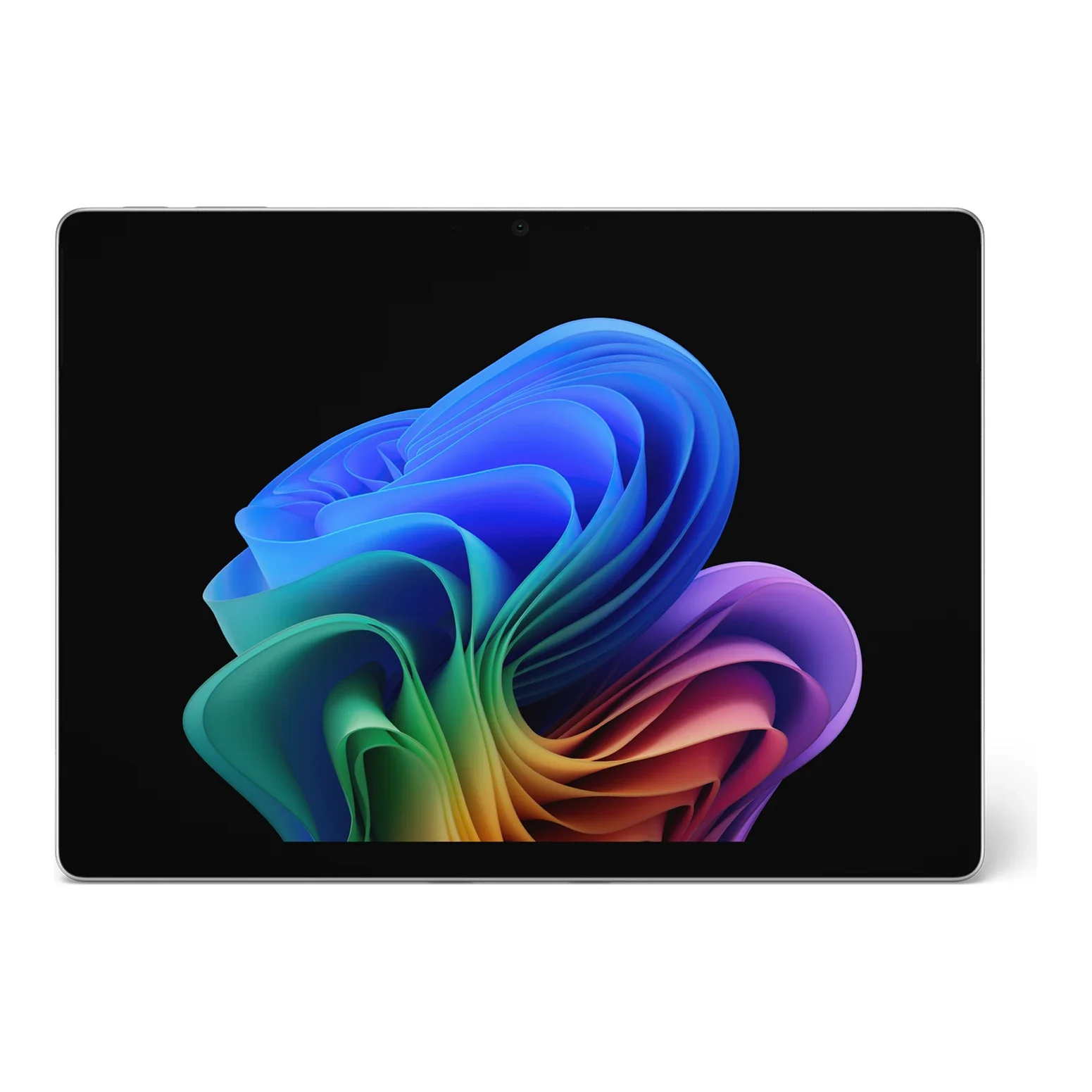
No photos recorded for this color yet
Microsoft Surface Pro 11
Product ID: AKS-20261013-YU4X
The Microsoft Surface Pro 11 is Microsoft's 11th-edition Surface Pro and the first Copilot+ PC 2-in-1 built mainly around Snapdragon X, at 895g and 9.3mm. It offers a Snapdragon X Plus 10-core or X Elite 12-core with a 45 TOPS NPU, 16/32GB LPDDR5x and a removable Gen4 SSD (256GB–1TB). The 13-inch 120Hz display comes as OLED (600 SDR / 900 HDR nits) or LCD, with two USB4 ports plus Surface Connect. The keyboard and Slim Pen are sold separately, and some older x86 apps and drivers still have compatibility issues on Arm.
Saved temporarily in this device’s browser only. No long-term storage or syncing.
Official list prices
Pending and starting prices do not confirm the price of a specific variant. Check each market’s currency and tax status.
No verified official price available
Product information
- Brand:
- Microsoft
- Category:
- Tablet
- Product line:
- Surface Pro
- Release date:
- 2024-06-18
- Product ID:
- AKS-20261013-YU4X
- Official information:
- View manufacturer page
- Last updated:
- Oct 29, 2026
Specifications
Body and display
- Height
- 209 mm
- Width
- 287 mm
- Depth
- 9.3 mm
- Weight
- 895 g
- Display size
- 13 in
- Display resolution
- 2880 × 1920 (267 ppi)
- Display technology
- 13-inch PixelSense Flow touchscreen, OLED (600 SDR / 900 HDR nits) or LCD, up to 120Hz
- Refresh rate
- 120 Hz
- Peak brightness
- 900 nits
Performance and storage
- Operating system
- Windows
- OS version
- Windows 11 Home / Pro
- Chipset
- Snapdragon X Plus (10-core) / Snapdragon X Elite (12-core), Hexagon NPU 45 TOPS
- Memory
- 16 GB
- Storage
- 256 GB
- Expandable storage
- Removable Gen4 SSD (256GB / 512GB / 1TB)
Power, cameras and accessories
- Battery energy
- 53 Wh
- Rear camera
- 10MP Ultra HD (4K)
- Front camera
- 1440p Surface Studio camera (Windows Hello)
- Cellular
- 5G on select business models
- Wireless
- Wi-Fi 7, Bluetooth 5.4
- Connector
- 2× USB4 (USB-C) + Surface Connect
- Stylus support
- Surface Slim Pen (sold separately)
- Keyboard support
- Surface Pro Flex / Pro Keyboard (sold separately)
- Speakers
- 2W stereo speakers, Dolby Atmos
Product reviews
Based on 4 reviews
Based on a limited sample of reviews.
The Verge: Surface Pro 11 Review — $350 Flex Keyboard Extortion & ARM Audio Plugin Hurdles
Machine translated · Original language: Chinese (Taiwan) · Source language: Chinese (Taiwan)
Source
The Verge
Key Takeaways
- The new detachable Surface Pro Flex wireless keyboard demands an outrageous $349.99 upcharge, bordering on highway robbery.
- Snapdragon X ARM emulation stumbles over niche audio production VST plugins, legacy MIDI drivers, and kernel anti-cheat games.
- As a standalone tablet off the kickstand, the 900g bulk feels cumbersome and top-heavy when reading in bed.
- Proprietary Surface Connect charging port still wastes chassis edge space that could have held another versatile USB4 connector.
✅ Pros
- First-ever optional OLED screen delivers inky contrast and vibrant color punch
- Snapdragon X brings cool whisper-quiet operation and marathon 14-hour battery
- Masterful variable-friction metal kickstand anchors securely at any angle
❌ Cons
- Exorbitant $350 accessory tax for Flex keyboard
- Legacy audio plugins and kernel games fail on ARM
- Heavy and awkward to hold as a naked tablet in bed
- Useless proprietary Surface Connect port lingers
📝 Verdict
"Surface Pro 11 achieves ARM efficiency perfection undermined by a greedy $350 keyboard tax and niche plugin gaps."
View original
The Verge:分離式鍵盤高達 350 美元極端昂貴,老舊音訊外掛與遊戲反作弊無法運行
來源
The Verge
重點摘要
- 專為 Pro 11 設計的全新 Surface Pro Flex 獨立無線鍵盤索價高達 349.99 美元,單獨購買配件幾乎等於一台平板價格。
- Snapdragon X 晶片在 ARM 架構轉換下,部分專業音樂製作人依賴的老舊 VST 音訊外掛與核心級防作弊手遊依然無法啟動閃退。
- 在未搭配鍵盤且作為純平板單手握持時,厚度與重量在膝蓋或床上閱讀時依然沉甸甸缺乏輕盈感。
- 磁吸充電接口 Surface Connect 依然頑固保留,雖然支援 Type-C 充電但依然佔用機身右側寶貴邊框空間。
✅ 優點
- OLED 螢幕峰值對比與色彩鮮豔度達到 Surface 家族歷史巔峰
- Snapdragon X 帶來革命性低發熱與長達 14 小時續航
- 精緻無級阻尼金屬鉸鏈支架在桌上支撐無比穩固
❌ 缺點
- 分離式鍵盤高達 350 美元極端暴利
- ARM 模擬相容性在專業外掛存在死角
- 純手持平板模式重量偏重手腕酸痛
- 依然保留專屬 Surface Connect 接口
📝 總結評語
「Surface Pro 11 續航與 OLED 脫胎換骨,但 350 美元天價鍵盤與 ARM 軟體死角,依然讓它難以完全替代傳統 PC。」
This AI-generated summary is based on the original source and was not written by its creator. It may contain errors or omissions; please consult the original source.
Andru Edwards: After 90 days, performance is smooth and AI features show promise, but real battery life falls far short of the claims
Machine translated · Original language: Chinese (Taiwan)
Source
- Video: Microsoft Surface Pro 11 Review: 90 Days Later!
- Channel: Andru Edwards | Type: Long-term review (90 days) | Based on: YouTube transcript
Key points
- The review is titled as impressions after 90 days of use.
- The body is thin, light and portable, and the new Flex Keyboard is a big upgrade, but it's not very comfortable to use on your lap.
- Browsing with many tabs, video editing and light gaming are all smooth; 4K video transcoding performs well, but it can't run heavy games.
- Under loads such as video calls, battery life drops to only about 5 hours, a clear gap from the official figure.
- AI features like Cocreator are impressive but not yet essential.
✅ Pros
- Thin, light and portable
- Smooth performance
- Flex Keyboard upgrade
- AI features show promise
❌ Cons
- Real battery life falls far short of the claims
- Uncomfortable to use on your lap
- Some software isn't optimized for Arm
📝 Verdict
A great fit if you value portability and performance and are willing to pay a premium; if you mainly do office work or need software that doesn't support Arm, other options are better value.
View original
Andru Edwards:使用 90 天,效能流暢、AI 功能有潛力,但實際續航遠低於宣稱
來源
- 影片:Microsoft Surface Pro 11 Review: 90 Days Later!
- 頻道:Andru Edwards|類型:長期評測(90 天)|摘要依據:YouTube 字幕逐字稿
重點摘要
- 評測標題為使用 90 天後的心得。
- 機身輕薄好攜帶,新的 Flex 鍵盤是一大升級,但放在腿上使用不太舒適。
- 多分頁瀏覽、影片剪輯、輕度遊戲都流暢;4K 影片轉檔表現好,但無法跑重度遊戲。
- 開視訊會議等負載下續航約只剩 5 小時,與官方數字差距明顯。
- Cocreator 等 AI 功能令人印象深刻但還不是必需品。
✅ 優點
- 輕薄便攜
- 效能流暢
- Flex 鍵盤升級
- AI 功能有潛力
❌ 缺點
- 實際續航遠低於宣稱
- 放腿上使用不舒適
- 部分軟體未針對 Arm 優化
📝 總結評語
重視便攜與效能且願意付高價就很適合;以文書為主或需要未支援 Arm 的軟體,其他選擇更划算。
This AI-generated summary is based on the original source and was not written by its creator. It may contain errors or omissions; please consult the original source.
Just Josh: Bought with his own money and used for a month, it's an engineering masterpiece with a beautiful OLED, but battery life is poor and 13 inches is cramped, so it's unclear who it's for
Machine translated · Original language: Chinese (Taiwan)
Source
- Video: Surface Pro 11: It's Amazing, But Would You Buy It?
- Channel: Just Josh | Type: Long-term review (self-bought, about one month) | Based on: YouTube transcript
Key points
- Bought with his own money and used for about a month, and he's considering returning it; X Elite + OLED, 16GB/512GB.
- Very fast in daily use; the OLED looks beautiful on the Sapphire blue body, high brightness overpowers reflections, and the speakers are clear and loud enough.
- In practice, the 13-inch 3:2 screen feels more cramped than the Surface Laptop 7's 13.8-inch screen.
- The keyboard's touchpad occasionally has cursor jumping issues.
- Battery life for general office work and browsing isn't good; the OLED shows a screen door effect with colorful content.
✅ Pros
- Fast performance
- Beautiful OLED screen
- Good speakers
- Excellent engineering and build
❌ Cons
- Poor battery life
- 13-inch workspace is cramped
- Touchpad cursor occasionally jumps
- High price once you add the keyboard
📝 Verdict
An amazing device, but it's hard to find the right use case for it; at the same price, a Surface Laptop 7, perhaps plus an iPad, may be better.
View original
Just Josh:自費買來用了一個月,工程傑作、OLED 很美,但續航差、13 吋太擠,不知道適合誰
來源
- 影片:Surface Pro 11: It's Amazing, But Would You Buy It?
- 頻道:Just Josh|類型:長期評測(自購約一個月)|摘要依據:YouTube 字幕逐字稿
重點摘要
- 自費購買、使用約一個月,正在考慮是否退貨;X Elite+OLED、16GB/512GB。
- 日常使用非常快;OLED 在藍寶石藍機身上很漂亮,高亮度可壓過反光;喇叭清楚夠大聲。
- 13 吋 3:2 螢幕實際用起來比 Surface Laptop 7 的 13.8 吋擠。
- 鍵盤觸控板偶有游標亂跳的問題。
- 一般文書與上網續航並不好;OLED 看彩色內容有紗窗效應。
✅ 優點
- 效能快
- OLED 螢幕漂亮
- 喇叭好
- 工程與做工出色
❌ 缺點
- 續航差
- 13 吋工作空間擁擠
- 觸控板偶有游標亂跳
- 加購鍵盤後價格高
📝 總結評語
了不起的設備,但很難找到最適合的使用情境;同價位買 Surface Laptop 7 甚至再加一台 iPad 可能更好。
This AI-generated summary is based on the original source and was not written by its creator. It may contain errors or omissions; please consult the original source.
Created by Ella: The Surface Pro 11 is great for students, and Snapdragon X can finally compete with the MacBook, but the screen lacks anti-reflective coating
Machine translated · Original language: Chinese (Taiwan)
Source
- Video: Surface Pro 11 Review: MacBook Air Killer?
- Channel: Created by Ella | Type: Comparison review | Based on: YouTube transcript
Key points
- A comprehensive comparison with other Snapdragon and Intel laptops and the MacBook.
- An almost perfect device for students or users who need handwriting.
- The ARM processor can finally compete with the MacBook in speed and efficiency, even winning in some areas; the "Recommended" power mode is advised.
- Using it with an external monitor can improve posture but takes up desk space; the stylus digitizer pattern is visible on white backgrounds.
- Apps that need emulation still work but are less responsive; small local AI models perform poorly.
✅ Pros
- Versatile handwriting and tablet form factor
- Good speed and efficiency from Snapdragon X
- Can scan documents and photograph whiteboards
❌ Cons
- No anti-reflective coating on the screen
- Visible digitizer pattern
- Emulated apps are slower
📝 Verdict
The new generation of Windows on ARM really is different from before, but it still lacks some polish in the details.
View original
Created by Ella:Surface Pro 11 很適合學生,Snapdragon X 終於能與 MacBook 競爭,但螢幕缺抗反射
來源
- 影片:Surface Pro 11 Review: MacBook Air Killer?
- 頻道:Created by Ella|類型:比較評測|摘要依據:YouTube 字幕逐字稿
重點摘要
- 與其他 Snapdragon、Intel 筆電及 MacBook 做全面比較。
- 對需要手寫的學生或使用者幾乎是完美裝置。
- ARM 處理器在速度與效率上終於能與 MacBook 競爭,甚至部分勝出;建議用「推薦」電源模式。
- 接外接螢幕使用可改善姿勢,但會佔用桌面;白色背景下可看到觸控筆數位板紋路。
- 需模擬的 App 仍可用但較不靈敏;本地 AI 小模型效果不佳。
✅ 優點
- 手寫與平板形態多功能
- Snapdragon X 速度與效率佳
- 可掃描文件、拍白板
❌ 缺點
- 螢幕無抗反射鍍膜
- 可見數位板紋路
- 模擬 App 較慢
📝 總結評語
新一代 Windows on ARM 確實不同以往,但仍缺乏一些細節打磨。
This AI-generated summary is based on the original source and was not written by its creator. It may contain errors or omissions; please consult the original source.