
No photos recorded for this color yet
Microsoft Surface Laptop 7 (13.8-inch, Snapdragon X)
Product ID: AKS-20261011-GFHJ
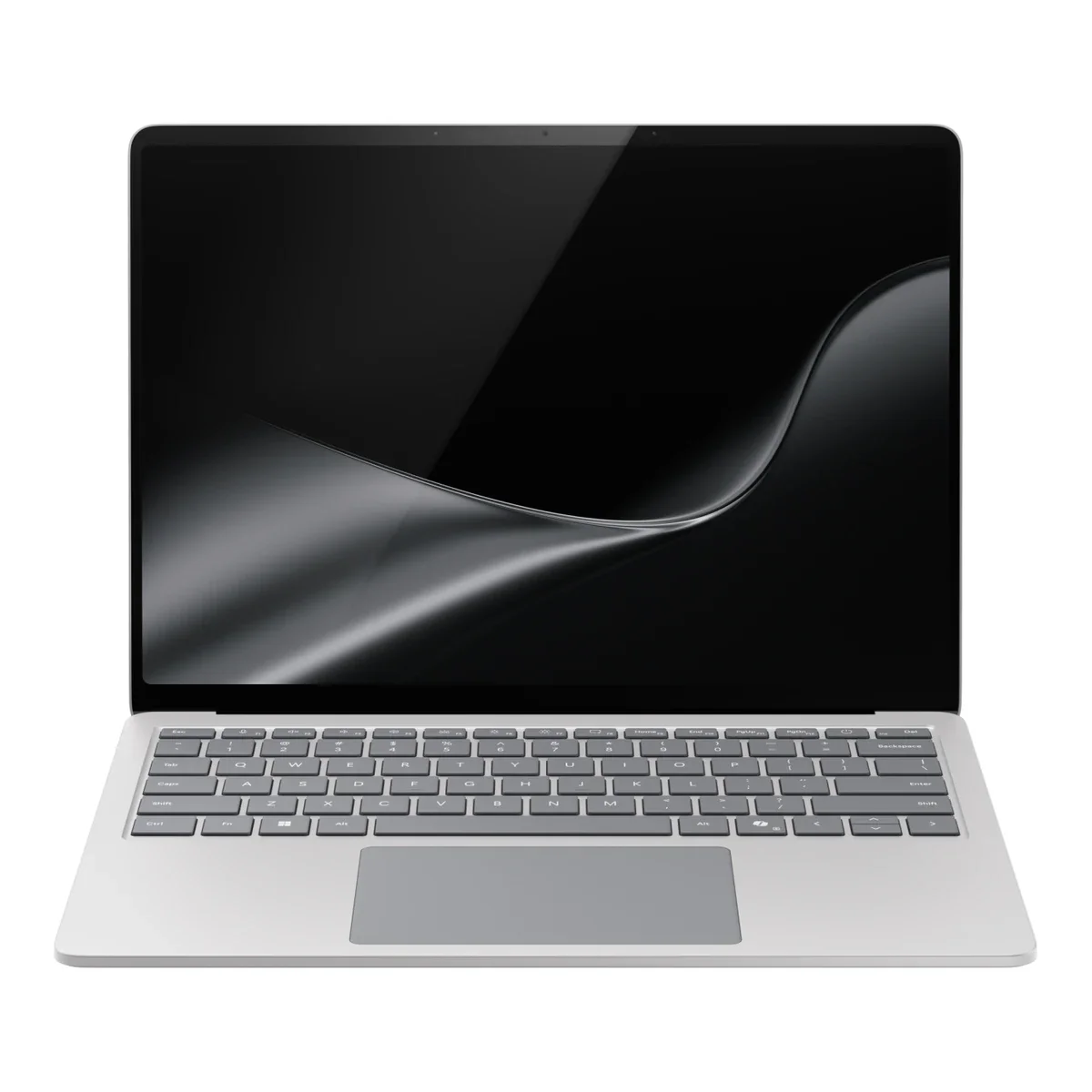
The Microsoft Surface Laptop 7 (13.8-inch, Snapdragon X) is Microsoft's 7th-edition Surface Laptop (launched June 2024) and one of the first Copilot+ PCs, in an aluminum chassis weighing 1.34kg at 17.5mm thick. The 13.8-inch model uses a Qualcomm Snapdragon X Plus (10-core) or X Elite (12-core) with a 45 TOPS Hexagon NPU, and its PixelSense Flow touchscreen offers a dynamic refresh rate up to 120Hz, Dolby Vision IQ and up to 600 nits. The 54Wh battery is rated for up to 20 hours of local video playback, with a 39W charger in the box; ports are 2× USB-C (USB4), USB-A, 3.5mm and Surface Connect, plus Wi-Fi 7, Bluetooth 5.4, a 1080p Surface Studio Camera with Windows Hello, and a removable SSD. 16 / 32 / 64GB LPDDR5x memory is soldered, and some games and pro apps may still have compatibility issues on Arm. A 15-inch model and business Intel Core Ultra versions also exist.
Saved temporarily in this device’s browser only. No long-term storage or syncing.
Official list prices
Pending and starting prices do not confirm the price of a specific variant. Check each market’s currency and tax status.
No verified official price available
Product information
- Brand:
- Microsoft
- Category:
- Laptop
- Product line:
- Surface Laptop
- Release date:
- 2024-06-18
- Product ID:
- AKS-20261011-GFHJ
- Official information:
- View manufacturer page
- Last updated:
- Oct 29, 2026
Specifications
Body and display
- Width
- 301 mm
- Depth
- 220 mm
- Minimum height
- 17.5 mm
- Maximum height
- 17.5 mm
- Weight
- 1.34 kg
- Display count
- 1
- Display size
- 13.8 in
- Display resolution
- 2304 × 1536
- Display technology
- PixelSense Flow touchscreen 3:2 (201 PPI, dynamic refresh up to 120Hz, 1400:1, Dolby Vision IQ, up to 600 nits, Gorilla Glass 5)
- Refresh rate
- 120 Hz
- Touchscreen
- Yes
Performance and storage
- Operating system
- Windows
- OS version
- 11 Home (11 Pro for business)
- Processor
- Qualcomm Snapdragon X Plus (10-core, X1P64100) / Snapdragon X Elite (12-core, X1E80100) (by configuration)
- Graphics
- Qualcomm Adreno GPU (integrated)
- NPU
- Qualcomm Hexagon NPU, 45 TOPS
- Memory type
- LPDDR5x onboard (16 / 32 / 64GB, not upgradeable)
- Storage type
- Removable Gen 4 SSD (256GB / 512GB / 1TB)
Power and connectivity
- Battery capacity
- 54 Wh
- Power adapter
- 39 W
- Ports
- 2× USB-C (USB4, charging / DisplayPort 1.4a), 1× USB-A 3.1 Gen 2, 1× 3.5mm headphone jack, 1× Surface Connect
- Wireless
- Wi-Fi 7; Bluetooth 5.4
- Camera
- 1080p Full HD Surface Studio Camera with Windows Hello face sign-in
- Color
- Platinum / Black / Sapphire / Dune
Product reviews
Based on 4 reviews
Based on a limited sample of reviews.
The Verge: Surface Laptop 7 Review — ARM Emulation Roadblocks & No OLED on Base
Machine translated · Original language: Chinese (Taiwan) · Source language: Chinese (Taiwan)
Source
The Verge
Key Takeaways
- While Prism emulation is remarkably snappy, kernel-level anti-cheat engines (Valorant, Fortnite) completely refuse to launch on ARM.
- Niche CAD plugins, legacy printer drivers, and nested virtual machines still stumble with crash dialogs or failed installers.
- Base 13.8-inch models settle for standard IPS LCD; getting vibrant OLED requires coughing up hefty cash for premium tiers.
- Clings to the proprietary magnetic Surface Connect strip, wasting chassis perimeter space that could have held another USB-C port.
✅ Pros
- Snapdragon X chip runs icy cool under daily productivity
- Marathon 14-hour real battery life matches MacBook Air
- Sleek aluminum chassis paired with supreme haptic touchpad
❌ Cons
- Kernel anti-cheat games completely unplayable
- Legacy peripheral drivers and niche software crashes
- Base configurations miss out on OLED vibrancy
- Proprietary Surface Connect port wastes chassis edge space
📝 Verdict
"Surface Laptop 7 is the closest Windows has ever come to MacBook perfection, marred only by lingering ARM software gaps."
View original
The Verge:ARM 模擬相容性依然存在死角,防作弊遊戲無法運行且基礎款無 OLED
來源
The Verge
重點摘要
- 雖然 Prism 模擬器性能強悍,但採用核心級防作弊系統的熱門線上遊戲(如《特戰英豪》、《英雄聯盟》)依然無法在 ARM 晶片上運行。
- 部分小眾工業軟體、老舊印表機驅動與虛擬機工具無法原生相容,經常出現閃退或安裝阻擋報錯。
- 入門款 13.8 吋版本依然只配備傳統 IPS LCD 螢幕,想要色彩更頂級的 OLED 面板必須加價選購更高階型號。
- 鍵盤底板邊框依然採用專屬磁吸 Surface Connect 充電孔,雖然支援 USB-C 充電但依然佔用機身寶貴空間。
✅ 優點
- Qualcomm Snapdragon X 能效比極佳日常使用完全不發燙
- 離線文書處理續航輕鬆達到 14 小時媲美 MacBook Air
- 精緻圓潤的一體化鋁合金機身與觸覺回饋觸控板
❌ 缺點
- 核心級防作弊遊戲完全無法運行
- 老舊外設驅動與小眾軟體相容性受限
- 入門款未配備 OLED 螢幕
- 依然保留專屬 Surface Connect 接口
📝 總結評語
「Surface Laptop 7 是 Windows 陣營最接近 MacBook 的神作,但遊戲反作弊與軟體相容死角,依舊是 ARM 筆電的原罪。」
This AI-generated summary is based on the original source and was not written by its creator. It may contain errors or omissions; please consult the original source.
6 Months Later: After half a year, this is the first Windows laptop that can truly rival the MacBook Air
Machine translated · Original language: Chinese (Taiwan)
Source
- Video: Microsoft Surface Laptop 7 Review - 6 Months Later
- Channel: 6 Months Later | Type: Long-term impressions (6 months) | Based on: YouTube transcript
Key points
- He bought a Surface Laptop and used it for half a year, and thinks Microsoft has finally made a Windows laptop that can be compared with the MacBook Air.
- The unibody aluminum chassis feels like a Windows MacBook Air, and the weight is similar; the touchpad is the best he's used outside a Mac, with precise haptic feedback.
- The 120Hz screen beats the MacBook Air's 60Hz and supports touch; but the chassis can't flip around, so touch has limited use, and the anti-reflective coating isn't as good as the MacBook Air's.
- Battery life easily lasts a full workday, and with the lid closed it loses almost no charge over about two weeks of standby; but apps not optimized for ARM use more power.
- Windows' Edge promotions and news ads in Widgets cheapen the experience; auto-brightness isn't smooth enough; keys like Home / End on the function row feel dated.
- The standard 16GB of RAM is enough for him; most people should go with the X Plus (10 cores), unless the X Elite is on sale.
✅ Pros
- Premium feel, lightweight
- The best touchpad outside a Mac
- 120Hz touchscreen
- Excellent battery life and standby
❌ Cons
- Anti-reflection isn't as good as the MacBook Air's
- Built-in ads and promotions in Windows
- Abrupt auto-brightness changes
- Some ARM compatibility issues
📝 Verdict
An easy-to-recommend general-purpose laptop: design, build, battery life and typing experience are all great, with no major flaws to speak of; only people deeply tied into the Apple ecosystem are still better served by a Mac.
View original
6 Months Later:用了半年,這是第一台真正能和 MacBook Air 抗衡的 Windows 筆電
來源
- 影片:Microsoft Surface Laptop 7 Review - 6 Months Later
- 頻道:6 Months Later|類型:長期使用心得(6 個月)|摘要依據:YouTube 字幕逐字稿
重點摘要
- 他買了 Surface Laptop 使用半年,認為 Microsoft 終於做出能和 MacBook Air 比較的 Windows 筆電。
- 鋁合金一體機身質感像 Windows 版 MacBook Air,重量也相近;觸控板是 Mac 以外他用過最好的,觸覺回饋精準。
- 120Hz 螢幕優於 MacBook Air 的 60Hz,也支援觸控;但機身無法翻轉,觸控用途有限,抗反射塗層不如 MacBook Air。
- 續航輕鬆撐過整個工作日,闔上螢幕待機約兩週幾乎不掉電;但未針對 ARM 最佳化的程式較耗電。
- Windows 的 Edge 推銷、小工具新聞廣告讓體驗變廉價;自動亮度調整不夠平順;F 列的 Home/End 等按鍵顯得過時。
- 標配 16GB RAM 對他夠用;多數人選 X Plus(10 核心)即可,除非 X Elite 特價。
✅ 優點
- 高級質感、輕巧
- Mac 以外最好的觸控板
- 120Hz 觸控螢幕
- 續航與待機都很優秀
❌ 缺點
- 抗反射效果不如 MacBook Air
- Windows 內建廣告與推銷
- 自動亮度切換生硬
- 部分 ARM 相容性問題
📝 總結評語
很容易推薦的通用型筆電:設計、做工、續航與打字體驗都很好,找不到什麼重大缺點;只有深度綁定 Apple 生態的人還是 Mac 更合適。
This AI-generated summary is based on the original source and was not written by its creator. It may contain errors or omissions; please consult the original source.
Just Josh: After 30 days it became his daily driver — the first Windows laptop to give him a complete MacBook-level experience
Machine translated · Original language: Chinese (Taiwan)
Source
- Video: Surface Laptop 7 Long Term Review
- Channel: Just Josh | Type: Long-term impressions (13.8-inch) | Based on: YouTube transcript
Key points
- Over the past few weeks he kept choosing it as his daily driver; he thinks it's the first laptop to offer a MacBook-level overall experience on Windows, and after 30 days he mostly loves it.
- The 13.8-inch 3:2 screen is practical and the design is beautiful; he recommends the X Plus version, which has better battery life and is fast enough day to day, as the X Elite can't fully stretch its legs in a 13-inch chassis.
- On ARM, Office, browsers and collaboration tools work fine, though they occasionally slow down; his DJ software and League of Legends won't run, so he has to switch to another laptop.
- It gets noticeably warm when fully charged over USB-C; the touchpad is great but occasionally registers accidental touches that make the cursor jump; the screen's pixel density is average, so small text isn't as sharp as on a MacBook.
- The brightness keys adjust only a tiny bit per press and with a delay; he never used the AI features on the Copilot key.
- At around US$1,000, no other laptop is this well rounded; but if he could have only one, he'd still pick the MacBook Pro 14.
✅ Pros
- MacBook-level quality and experience
- Beautiful, lightweight design
- Great value
- Smooth for office work and browsing
❌ Cons
- Some software and games won't run on ARM
- Average screen pixel density
- Sluggish brightness keys
- Occasional accidental touchpad input
📝 Verdict
One of the best choices for office work and browsing: if it fits your use, its value is beyond reproach; people who need specialized software should check compatibility before buying, or use it as a second computer.
View original
Just Josh:用了 30 天成為日常主力——第一台給他 MacBook 級完整體驗的 Windows 筆電
來源
- 影片:Surface Laptop 7 Long Term Review
- 頻道:Just Josh|類型:長期使用心得(13.8 吋)|摘要依據:YouTube 字幕逐字稿
重點摘要
- 過去幾週他一直選它當日常主力;他認為這是第一台在 Windows 上提供 MacBook 等級整體體驗的筆電,用了 30 天大致非常喜歡。
- 13.8 吋 3:2 螢幕實用、外型漂亮;他建議買 X Plus 版本,續航更好、日常也夠快,X Elite 在 13 吋機身中無法完全發揮。
- ARM 架構下 Office、瀏覽器與協作工具都正常,但偶爾變慢;DJ 軟體與 League of Legends 無法執行,只能換其他筆電。
- USB-C 充電充滿時會明顯發熱;觸控板很棒但偶有誤觸跳游標;螢幕像素密度普通,小字不如 MacBook 銳利。
- 亮度鍵每次只調一點點又有延遲;Copilot 鍵的 AI 功能他完全沒用到。
- 約 US$1,000 的價格下沒有其他筆電做得這麼全面;但如果只能有一台,他仍會選 MacBook Pro 14。
✅ 優點
- MacBook 等級的質感與體驗
- 外型漂亮、輕巧
- 價格超值
- 辦公與瀏覽都很順
❌ 缺點
- 部分軟體與遊戲在 ARM 上無法執行
- 螢幕像素密度普通
- 亮度鍵反應慢
- 觸控板偶有誤觸
📝 總結評語
辦公與瀏覽的最佳選擇之一:用途相符的話價值無可挑剔;需要特殊軟體的人購買前務必確認相容性,或把它當作第二台電腦。
This AI-generated summary is based on the original source and was not written by its creator. It may contain errors or omissions; please consult the original source.
Max Tech: After two weeks, it's his favorite X Elite laptop — as responsive as Apple Silicon, but weak in graphics
Machine translated · Original language: Chinese (Taiwan)
Source
- Video: Surface Laptop 7 X Elite Honest Review after 2 Weeks!
- Channel: Max Tech | Type: Review after two weeks of use (X Elite) | Based on: YouTube transcript
Key points
- He used the X Elite version for two weeks and considers it his favorite X Elite laptop; opening apps, unzipping files and launching the browser are all very snappy, like an Apple Silicon MacBook.
- Side by side with the same year's Intel Surface Laptop 6, which uses the old chassis, it's a major upgrade in every respect, from the screen and bezels to thickness.
- In the battery test, the Intel machine died first, with the X Elite version still at about 40%.
- Single-core CPU performance is good, but the Adreno GPU and video encoder are weak, with DaVinci Resolve exports even losing to the M1; skip it if you need graphics performance.
- He recommends the US$999 X Plus (16GB / 256GB), and you can swap the SSD for a bigger one yourself, something you can't do on a Mac.
✅ Pros
- Very responsive
- Excellent battery life
- Fully upgraded design
- User-replaceable SSD, 16GB RAM standard
❌ Cons
- Weak GPU and video encoding performance
- Some apps not yet optimized for ARM
📝 Verdict
The X Elite laptop he recommends most right now: excellent for web, video, office work and battery life, and he'd recommend it to friends and family who need Windows.
View original
Max Tech:用了兩週,是他最喜歡的 X Elite 筆電——反應快得像 Apple Silicon,但圖形效能弱
來源
- 影片:Surface Laptop 7 X Elite Honest Review after 2 Weeks!
- 頻道:Max Tech|類型:使用兩週後評測(X Elite)|摘要依據:YouTube 字幕逐字稿
重點摘要
- 他用 X Elite 版兩週,認為這是他最喜歡的 X Elite 筆電;開程式、解壓縮、開瀏覽器都非常靈敏,像 Apple Silicon MacBook。
- 與同年使用舊機身的 Intel 版 Surface Laptop 6 並排比較,螢幕、邊框、厚度等各方面都大幅升級。
- 續航測試中 Intel 機先沒電,X Elite 版還剩約 40% 電量。
- CPU 單核表現好,但 Adreno GPU 與影片編碼器偏弱,DaVinci Resolve 輸出甚至輸給 M1;需要圖形效能就不要選它。
- 建議買 US$999 的 X Plus(16GB/256GB),SSD 可以自己換成更大容量,這是 Mac 做不到的。
✅ 優點
- 反應非常快
- 續航優異
- 設計全面升級
- SSD 可自行更換、標配 16GB RAM
❌ 缺點
- GPU 與影片編碼效能弱
- 部分程式尚未針對 ARM 最佳化
📝 總結評語
目前最推薦的 X Elite 筆電:網頁、影片、辦公與續航都很出色,他會推薦給需要 Windows 的親友。
This AI-generated summary is based on the original source and was not written by its creator. It may contain errors or omissions; please consult the original source.