
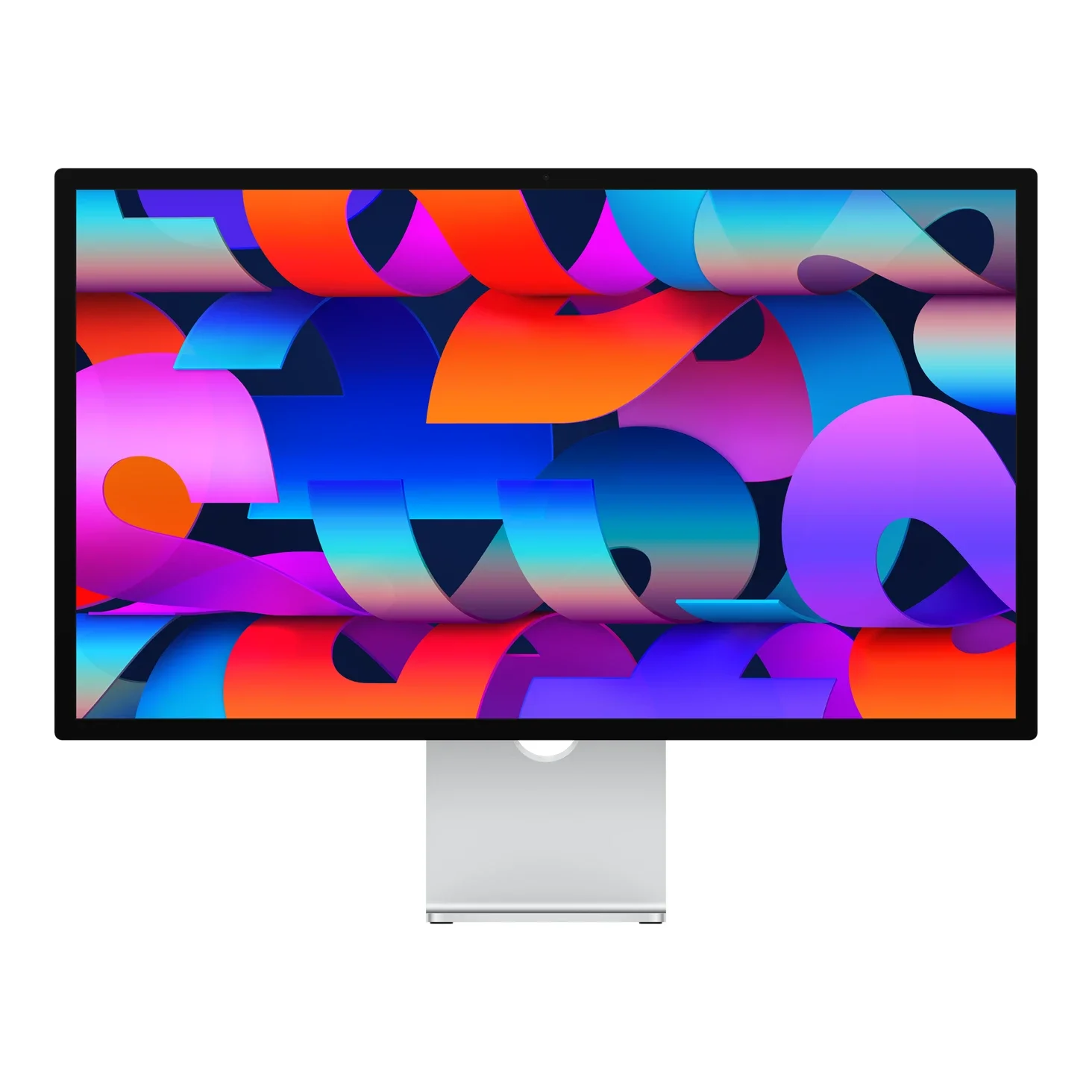
No photos recorded for this color yet
Apple Studio Display (2026)
Product ID: AKS-20261009-YFZW
The Apple Studio Display (2026) is the 2026 version of Apple's 27-inch 5K display. It works with Apple silicon Macs on macOS Tahoe 26.3.1 or later and select iPads, and includes a Thunderbolt 5 Pro cable. The 27-inch 5K Retina panel offers 600 nits, 60Hz, one billion colors, P3 wide color and True Tone, with optional nano-texture glass and reference modes. It has a 12MP Center Stage camera with Desk View, a six-speaker sound system with Spatial Audio for Dolby Atmos and a studio-quality three-mic array, plus two Thunderbolt 5 ports (the upstream port provides 96W host charging; the downstream port supports daisy-chaining) and two 10Gb/s USB-C ports. A tilt-adjustable stand is standard (6.3kg), with tilt- and height-adjustable stand (7.6kg) or VESA mount adapter (5.4kg) options. Released 2026-03-11; from NT$52,900 on Apple Taiwan as of October 2026.
Saved temporarily in this device’s browser only. No long-term storage or syncing.
Official list prices
Pending and starting prices do not confirm the price of a specific variant. Check each market’s currency and tax status.
Taiwan (TW) · 1 TWD 52,900
-
Starting at
TWD 52,900 TW
Product price · Tax included
Official source · Checked
官方定價:NT$52,900 起
Product information
- Brand:
- Apple
- Category:
- Monitor
- Product line:
- Studio Display
- Release date:
- 2026-03-11
- Product ID:
- AKS-20261009-YFZW
- Official information:
- View manufacturer page
- Last updated:
- Oct 31, 2026
Specifications
Body
- Width
- 623 mm
- Height
- 478 mm
- Depth
- 168 mm
- Weight
- 6,300 g
Display
- Display size
- 27 in
- Display resolution
- 5120 × 2880 (218 ppi)
- Display technology
- 5K Retina (P3, True Tone)
- Refresh rate
- 60 Hz
- Peak brightness
- 600 nits
- Color gamut
- P3
Connectivity & compatibility
- Ports
- 2× Thunderbolt 5 (1 upstream, 1 downstream), 2× USB-C (10Gb/s)
- USB-C power delivery
- 96 W
Features
- Adjustable stand
- Tilt-adjustable (−5° to +25°); tilt/height stand or VESA adapter optional
- VESA mount
- 100 × 100 mm (with VESA adapter option)
- Built-in speakers
- Yes
- Built-in camera
- Yes
Product reviews
Based on 5 reviews
Based on a limited sample of reviews.
Snazzy Labs: Studio Display (2026) Review — Still 60Hz, $400 Height-Adjust Tax
Machine translated · Original language: Chinese (Taiwan) · Source language: Chinese (Taiwan)
Source
Snazzy Labs
Key Takeaways
- Stuck stubbornly at a 60Hz refresh rate in 2026 with no ProMotion, lagging behind every modern Mac and iPhone screen.
- Base $1,599 price still only tilts; demanding an ergonomic height-adjustable stand triggers an insulting $400 surcharge.
- Edge-lit LCD lacks local dimming zones, producing washed-out grays instead of true inky blacks during HDR playback.
- Thunderbolt-only connectivity omits HDMI 2.1 and DisplayPort, shutting out consoles and PC gaming rigs.
✅ Pros
- Pristine 5K Retina density with razor text rendering
- Class-topping spatial audio six-speaker clarity
- Seamless aerospace-grade aluminum enclosure
❌ Cons
- Stubborn 60Hz cap feels obsolete in 2026
- Extortionate $400 fee for height adjustability
- Edge-lit panel lacks true HDR inky black levels
- Zero HDMI 2.1 or DisplayPort input compatibility
📝 Verdict
"Studio Display offers 5K splendor held back by Apple's stinginess: no 120Hz and an insulting $400 stand tax."
View original
Snazzy Labs:2026 年依然沒有 ProMotion 120Hz,高度調節依然索價四百美元
來源
Snazzy Labs
重點摘要
- 在 2026 年新款 Studio Display 竟然依然固守 60Hz 螢幕更新率,缺乏 ProMotion 120Hz 高刷新率,游標拖曳流暢度大打折扣。
- 基礎定價 1,599 美元依然僅給予傾斜支架,若需要人體工學高度升降調節,原廠依然強制加收 400 美元的暴利升級費用。
- 背光依舊維持傳統側光式 LCD,缺乏 Mini-LED 或 OLED 的分區控光,在播放 HDR 內容時黑位不夠深邃純淨。
- 僅提供 Thunderbolt 與 Type-C 輸入,依然完全沒有配備 HDMI 2.1 或 DisplayPort 接口,無法便利外接遊戲主機。
✅ 優點
- 5K 視網膜超高解析度文字清晰銳利如印刷品
- 六揚聲器音響系統在電腦螢幕中音質頂級
- 精美絕倫的一體化鋁合金機身外觀工藝
❌ 缺點
- 2026 年依然鎖死在 60Hz 慢速更新率
- 高度升降支架需額外加價四百美元
- 側光式背光缺乏 HDR 純黑深邃度
- 完全不支援 HDMI 或 DP 輸入接口
📝 總結評語
「Studio Display 5K 畫質細膩,但 60Hz 的頑固限制與四百美元支架稅,再次印證蘋果在週邊上的傲慢。」
This AI-generated summary is based on the original source and was not written by its creator. It may contain errors or omissions; please consult the original source.
Brad Colbow: Don't think of the Studio Display as a regular monitor — it's more like "half an iMac"
Machine translated · Original language: Chinese (Taiwan)
Source
- Video: Apple Studio Display Review
- Channel: Brad Colbow | Type: One-week review (a designer's perspective) | Based on: YouTube transcript (fetched with youtube-transcript-api)
Key points
- He thinks the Studio Display seems poor value if you see it as just a monitor; a better way to understand it is as "half an iMac," with the other half being the Mac mini or MacBook you connect. The display has a built-in iPhone-class A-series chip that drives the camera, Thunderbolt ports and speakers.
- Everything from the packaging and unboxing to connecting a Mac is refined; the aluminum design still looks great even though many brands have copied it.
- On the back are 4 USB-C ports, 2 of which are Thunderbolt 5: one connects to the Mac, and the other can daisy-chain another display; it can also charge a MacBook while connected.
- 60Hz doesn't bother him much: computers have less animation and scrolling than phones and tablets, so high refresh rates are less noticeable. Compared with the XDR, it lacks mini-LED local dimming, higher brightness and pro reference modes such as Adobe RGB, but most people won't need those. He also warns against using it with non-Mac computers; he couldn't get it working properly on a PC, and you'd lose features like the camera and speakers.
- His studio was willing to pay a few hundred dollars more for the looks (but not thousands more for the XDR), because the monitor is the most visible thing on the desk. Conclusion: it's pricey for many people, but if you understand what you're buying and value design and ecosystem integration, it makes sense.
✅ Pros
- The camera, speakers and ports make it like half an iMac
- Thunderbolt 5 daisy-chaining and MacBook charging
- Excellent design and build
❌ Cons
- Seems pricey if you only look at the specs
- 60Hz
- Loses many features when connected to non-Mac computers
📝 Verdict
An integrated display built for Mac users: if you value design and ecosystem integration, it's worth the money; on specs alone, it's poor value.
View original
Brad Colbow:別把 Studio Display 當成一般螢幕,它更像是「半台 iMac」
來源
- 影片:Apple Studio Display Review
- 頻道:Brad Colbow|類型:使用一週評測(設計師觀點)|摘要依據:YouTube 字幕逐字稿(youtube-transcript-api 擷取)
重點摘要
- 他認為把 Studio Display 當成單純的螢幕來看會覺得不划算;更好的理解方式是「半台 iMac」,另一半是你接上的 Mac mini 或 MacBook。顯示器內建 iPhone 等級的 A 系列晶片,負責驅動相機、Thunderbolt 連接埠與喇叭。
- 從包裝、開箱到連接 Mac 的流程都很精緻;鋁合金外觀即使被眾多品牌模仿,依然很好看。
- 背面是 4 個 USB-C,其中 2 個是 Thunderbolt 5:一個接 Mac,另一個可菊鍊串接另一台螢幕;接 MacBook 時還能同時充電。
- 60Hz 對他影響不大:電腦上的動畫與捲動比手機平板少,高更新率感受沒那麼明顯。與 XDR 相比少了 mini-LED 分區背光、較高亮度與 Adobe RGB 等專業參照模式,但多數人用不到。他也提醒不要用在非 Mac 電腦上,他在 PC 上沒能順利使用,且會失去相機與喇叭等功能。
- 他的工作室當初願意為外觀多付幾百美元(但不會多付幾千美元買 XDR),因為螢幕是桌上最顯眼的東西。結論:對很多人來說偏貴,但如果你理解自己買的是什麼、重視設計與生態系整合,它很合理。
✅ 優點
- 相機、喇叭與連接埠讓它像半台 iMac
- Thunderbolt 5 可菊鍊串接、為 MacBook 充電
- 外觀與做工出色
❌ 缺點
- 只看規格會覺得偏貴
- 60Hz
- 接非 Mac 電腦會失去許多功能
📝 總結評語
為 Mac 使用者打造的整合型螢幕:若重視設計與生態系整合,它物有所值;只比規格就不划算。
This AI-generated summary is based on the original source and was not written by its creator. It may contain errors or omissions; please consult the original source.
ZY Cheng: The 2026 Studio Display is better at the same price, but owners of the old model needn't rush to switch
Machine translated · Original language: Chinese (Taiwan)
Source
- Video: Apple's New 2026 Studio Display – What's New?
- Channel: ZY Cheng | Type: Unboxing and old-vs-new comparison (nano-texture glass version) | Based on: YouTube transcript (fetched with youtube-transcript-api)
Key points
- The design is almost identical to the 2022 first generation; the packaging opens with pull tabs, includes a cable of about half a meter, and the nano-texture version also comes with a polishing cloth.
- The easiest way to tell old from new is the back: the old model has just 1 Thunderbolt port, while the new one adds 1 downstream Thunderbolt port.
- Camera: both generations have Center Stage, but the new one supports Desk View, capturing both your face and your desk at once, with better image quality.
- Speakers: comparing the same songs, the mids through highs sound the same, and the main difference is deeper bass extension on the new model — a subtle improvement, but built on an already excellent foundation.
- The new downstream Thunderbolt port supports daisy-chaining, and in testing a single Thunderbolt cable drove two Studio Displays. Conclusion: owners of the old model needn't switch (unless upgrading to the XDR), but first-time buyers or those adding a display get a better product for the same price.
✅ Pros
- New downstream Thunderbolt port for daisy-chaining
- Camera supports Desk View, with better image quality
- Better bass extension
- An upgrade at the same price
❌ Cons
- Looks almost identical to the old model
- Little incentive for old-model owners to upgrade
📝 Verdict
A better version at the same price: if you're buying a Studio Display for the first time or adding one, the new model is a safe bet; if you already have the old one, there's no need to rush.
View original
ZY Cheng:2026 Studio Display 同價更好,但舊款用戶不必急著換
來源
- 影片:Apple's New 2026 Studio Display – What's New?
- 頻道:ZY Cheng|類型:開箱與新舊對比(奈米紋理玻璃版)|摘要依據:YouTube 字幕逐字稿(youtube-transcript-api 擷取)
重點摘要
- 外觀與 2022 年第一代幾乎相同;包裝以拉片開啟,內附約半公尺的連接線,奈米紋理版另附拋光布。
- 最容易分辨新舊款的方式是背面:舊款只有 1 個 Thunderbolt 埠,新款多了 1 個下游 Thunderbolt 埠。
- 相機:兩代都有 Center Stage,但新款支援桌上視角,可同時拍到臉部與桌面,畫質也更好。
- 喇叭:以相同歌曲對比,中低頻到高頻聽感相同,新款主要是低頻延伸更深,進步細微,但建立在原本就很出色的基礎上。
- 新增的下游 Thunderbolt 埠可以菊鍊串接,實測一條 Thunderbolt 線就能驅動兩台 Studio Display。結論:舊款用戶不必換(除非要升級 XDR),但第一次購買或需要加購螢幕的人,同樣價格買到更好的產品。
✅ 優點
- 新增 Thunderbolt 下游埠可菊鍊串接
- 相機支援桌上視角、畫質提升
- 低頻延伸更好
- 同價升級
❌ 缺點
- 外觀與舊款幾乎相同
- 舊款用戶升級誘因低
📝 總結評語
同價更好的版本:若你第一次買或要加購 Studio Display,選新款準沒錯;已有舊款則不必急著換。
This AI-generated summary is based on the original source and was not written by its creator. It may contain errors or omissions; please consult the original source.
ShortCircuit: The new Studio Display is a good monitor, but at $1,600 with only 60Hz in 2026 it's hard to recommend
Machine translated · Original language: Chinese (Taiwan)
Source
- Video: Do you need a Studio Display, or the XDR version - Apple Studio Display and XDR (2026)
- Channel: ShortCircuit | Type: Unboxing and hands-on (compared with Studio Display XDR) | Based on: YouTube transcript (fetched with youtube-transcript-api)
Key points
- The new Studio Display is very similar to the old one: 27-inch 5K, 60Hz, with the stand pre-attached and a light body that's easy to move; a 1-meter Thunderbolt 5 Pro cable is in the box (about $69 on its own). The packaging film can be peeled off in one piece and reapplied, which he appreciates.
- The standard stand only adjusts tilt; upgrading to the height-adjustable stand costs about $400 more.
- Side by side with the XDR: the regular version is about 600 nits and the XDR about 2,000 nits, and the XDR is slightly thicker with roughly twice the cooling grille; the glossy version still has an anti-reflective coating but with limited effect, while the nano-texture glass version has almost zero reflections for $300 more.
- With no signal source, the screen only says "connect a device," which isn't helpful for troubleshooting; input lag is only a few milliseconds above the theoretical value.
- Priced around $1,600, the 27-inch 5K reaches 218 ppi, but he finds paying over $1,000 for just 60Hz unacceptable in 2026, even with a built-in camera and speakers. Conclusion: the picture is genuinely great and tests well, but the price is too high for him to recommend it.
✅ Pros
- Fine detail at 218 ppi on a 27-inch 5K panel
- Includes a Thunderbolt 5 Pro cable
- Refined build and packaging
- Effective anti-glare nano-texture glass
❌ Cons
- Still only 60Hz
- High price
- The standard stand only adjusts tilt
- The height-adjustable stand and nano-texture both cost extra
📝 Verdict
A good monitor at a bad price: people already in the Apple ecosystem will still like it, but given the specs and price, he can't recommend it.
View original
ShortCircuit:新 Studio Display 是好螢幕,但 2026 年賣 1,600 美元還只有 60Hz 難以推薦
來源
- 影片:Do you need a Studio Display, or the XDR version - Apple Studio Display and XDR (2026)
- 頻道:ShortCircuit|類型:開箱與上手(與 Studio Display XDR 對比)|摘要依據:YouTube 字幕逐字稿(youtube-transcript-api 擷取)
重點摘要
- 新 Studio Display 與舊款非常相似:27 吋 5K、60Hz,支架已裝好、機身輕好搬;盒內附 1 公尺 Thunderbolt 5 Pro 連接線(單買約 69 美元)。包裝貼膜可完整撕下再貼回,他很欣賞。
- 標準支架只能調斜度,升級可調高度支架約要再多 400 美元。
- 與 XDR 版並排:一般版約 600 尼特、XDR 約 2,000 尼特,XDR 稍厚、散熱格柵約多一倍;亮面版仍有抗反光塗層但效果有限,奈米紋理玻璃版幾乎零反光,需加價 300 美元。
- 沒有訊號來源時畫面只顯示「請接上裝置」,對想要除錯的人不夠友善;輸入延遲只比理論值多幾毫秒。
- 售價約 1,600 美元,5K 27 吋達 218 ppi,但他認為 2026 年花超過 1,000 美元只買到 60Hz 是不能接受的,就算有內建相機與喇叭也一樣。結論:畫面確實很好、測試結果也好,但價格太高,他無法推薦。
✅ 優點
- 5K 27 吋 218 ppi 畫面細膩
- 附 Thunderbolt 5 Pro 連接線
- 做工與包裝精緻
- 奈米紋理玻璃抗反光效果好
❌ 缺點
- 仍只有 60Hz
- 價格高
- 標準支架只能調斜度
- 可調高度支架與奈米紋理都需加價
📝 總結評語
好螢幕,壞價格:已經在 Apple 生態系的人仍會喜歡它,但以規格和價格來看,他無法推薦。
This AI-generated summary is based on the original source and was not written by its creator. It may contain errors or omissions; please consult the original source.
Dave2D: Apple Studio Display (2026) Review — Still Stuck at 60Hz, Edge-Lit IPS in 2026, Stagnant $1,599
Machine translated · Original language: Chinese (Taiwan) · Source language: Chinese (Taiwan)
Source
Dave2D
Key Takeaways
- Arriving in 2026 yet still chained to an outdated 60Hz refresh rate; scrolling web pages and dragging cursors feels choppy without 120Hz ProMotion.
- Underlying panel is a basic edge-lit IPS LCD with zero local dimming; blacks look dull gray with a pathetic 1200:1 contrast ratio and no true HDR.
- Dedicated onboard A-series silicon handles webcam processing, yet indoor camera feeds remain noisy, muddy, and over-sharpened.
- Base configuration stubbornly excludes height adjustment; coughing up another $400 is mandatory to avoid neck strain.
✅ Pros
- 5K 218 PPI resolution scales macOS typography with razor perfection
- Immaculate solid aluminum unibody enclosure represents gold-standard industrial design
- Phenomenal built-in 6-speaker acoustic setup outclasses almost all desktop monitors
❌ Cons
- Stuck at 60Hz in a 120Hz world at a steep $1,599 price point
- Edge-lit IPS yields poor 1200:1 contrast and washed-out gray blacks
- Stingy $400 ransom demanded for standard ergonomic height adjustment
- Webcam output suffers from smearing and grain under standard indoor lighting
📝 Verdict
"Pristine 5K typography held hostage by an arrogant 60Hz edge-lit panel and a $400 stand paywall in 2026."
View original
Dave2D:依然只有 60Hz 刷新率,無分區控光純側光面板,定價一千六百美元原地踏步
來源
Dave2D
重點摘要
- 已經來到 2026 年,售價高達 1,599 美元的高階顯示器依然頑固停留在「60Hz 螢幕更新率」,滑鼠指標拖動或滾動網頁時能感受到明顯的殘影卡頓,完全沒有 ProMotion 120Hz 高刷流暢感。
- 面板底層依然是過時的側光式 IPS LCD,完全沒有任何分區背光局部控光能力,黑位表現灰暗泛白,對比度僅有可憐的 1200:1,無法展現真正震撼的 HDR 效果。
- 內建的 A 系列晶片主要用來處理視訊鏡頭與音訊,但這顆鏡頭在室內微弱燈光下畫質依然塗抹模糊,邊緣色散噪點嚴重。
- 標配支架依然無法調整高度,想要自由升降必須額外掏出 400 美元購買原廠升級支架,定價策略極具懲罰性。
✅ 優點
- 5K 解析度 218 PPI 像素密度文字顯示極致細膩
- 全金屬鋁合金外殼做工精湛工業設計質感頂級
- 內建六揚聲器音質飽滿超越絕大多數外接喇叭
❌ 缺點
- 售價高昂卻依然死守六十赫茲缺乏高刷流暢度
- 側光式背光黑位泛白對比度低缺乏真 HDR 支援
- 可調高度人體工學支架需額外被強迫加價四百美金
- 室內暗光環境下內建鏡頭畫質噪點多塗抹感重
📝 總結評語
「5K 視網膜文字細膩度無懈可擊,但在 2026 年賣一千六百美元卻依然只有 60Hz 側光螢幕,完全是傲慢的例行擠牙膏。」
This AI-generated summary is based on the original source and was not written by its creator. It may contain errors or omissions; please consult the original source.