
No photos recorded for this color yet
Apple MacBook Pro 16-inch (M5 Pro / M5 Max)
Product ID: AKS-20261006-L6S9
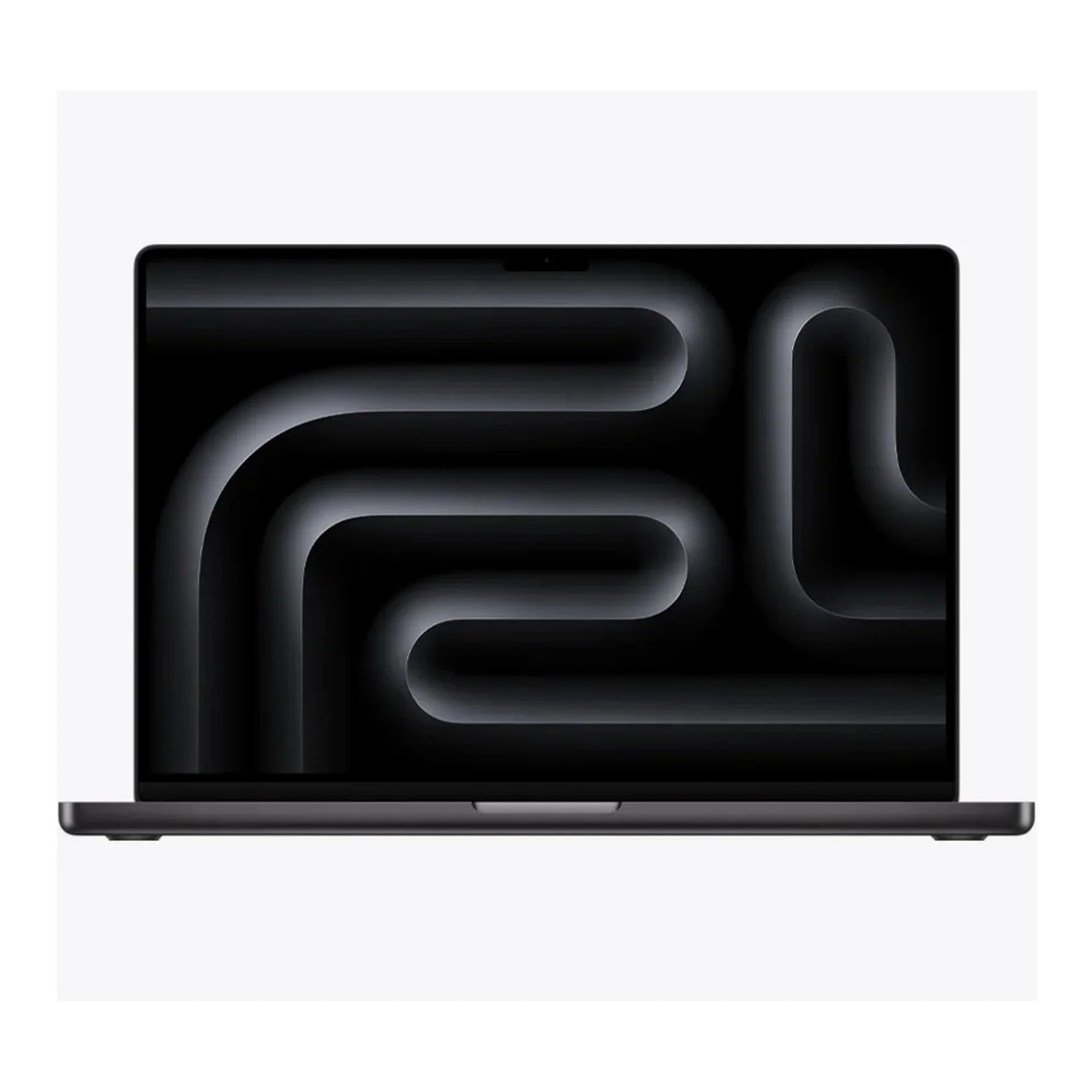
The Apple MacBook Pro 16-inch (M5 Pro/M5 Max) is a high-end creator laptop with a 16.2-inch Liquid Retina XDR display (ProMotion 120Hz) and up to ~24 hours of video battery life. It offers M5 Pro or M5 Max (up to 18-core CPU / 40-core GPU), Thunderbolt 5 and Wi-Fi 7 via N1, with a 100Wh battery and a 140W USB-C adapter. M5 Pro starts at 1TB SSD / 24GB memory; M5 Max starts at 2TB. There is no base M5 chip on the 16-inch model. Space Black and Silver; sold on Apple Taiwan.
Saved temporarily in this device’s browser only. No long-term storage or syncing.
Official list prices
Pending and starting prices do not confirm the price of a specific variant. Check each market’s currency and tax status.
No verified official price available
Product information
- Brand:
- Apple
- Category:
- Laptop
- Product line:
- MacBook Pro
- Release date:
- 2026-03-11
- Product ID:
- AKS-20261006-L6S9
- Official information:
- View manufacturer page
- Last updated:
- Oct 29, 2026
Specifications
Body and display
- Width
- 355.7 mm
- Depth
- 248.1 mm
- Minimum height
- 16.8 mm
- Maximum height
- 16.8 mm
- Weight
- 2.14 kg
- Display count
- 1
- Display size
- 16.2 in
- Display resolution
- 3456 × 2234
- Display technology
- Liquid Retina XDR (254 ppi; 1600 nits peak HDR, up to 1000 nits SDR; P3; nano-texture option)
- Refresh rate
- 120 Hz
- Touchscreen
- No
Performance and storage
- Operating system
- macOS
- OS version
- 26 (at launch)
- Processor
- Apple M5 Pro or M5 Max (18-core CPU: 6 super cores + 12 performance cores)
- Graphics
- M5 Pro 20-core GPU; M5 Max 32- or 40-core GPU option (with Neural Accelerators, hardware-accelerated ray tracing)
- NPU
- 16-core Neural Engine
- Memory type
- Unified memory (24–128GB depending on chip configuration)
- Storage type
- SSD (M5 Pro: 1TB standard; M5 Max: 2TB standard; configurable up to 8TB)
Power and connectivity
- Battery capacity
- 100 Wh
- Power adapter
- 140 W
- Ports
- MagSafe 3; 3× Thunderbolt 5 (USB-C); HDMI; SDXC card slot; 3.5mm headphone jack
- Wireless
- Apple N1: Wi-Fi 7 (802.11be); Bluetooth 6; Thread
- Camera
- 12MP Center Stage camera (with Desk View), 1080p video
- Color
- Space Black / Silver
Display
- Peak brightness
- 1,600 nits
Product reviews
Based on 4 reviews
Based on a limited sample of reviews.
Snazzy Labs: MacBook Pro 16 Review — Bulky Backpack Strain & Notch Menu Intrusion
Machine translated · Original language: Chinese (Taiwan) · Source language: Chinese (Taiwan)
Source
Snazzy Labs
Key Takeaways
- At 2.15kg, it is undeniably heavy; carrying it on daily walking commutes leads to serious shoulder fatigue.
- The top notch continues to clip into dense menu bars in Adobe After Effects and CAD suites without third-party utilities.
- Oversized 140W wall adapter easily sags out of loose airport or cafe wall outlets under its own weight.
- Apple's SSD tier pricing remains extortionate, asking $400 for a simple 1TB to 2TB capacity jump.
✅ Pros
- Breathtaking 16.2-inch Liquid Retina XDR dynamic range
- Zero performance drop-off when unplugged on battery
- Best-in-class spatial acoustic six-speaker soundbar
❌ Cons
- Dense 2.15kg weight strains commuters
- Notch obstructs dense professional app menus
- Bulky 140W charger sags out of wall sockets
- Extortionate upgrade fees for SSD storage jumps
📝 Verdict
"Unrivaled desktop performance on battery, compromised only by substantial 2.15kg heft and notch annoyances."
View original
Snazzy Labs:厚重機身攜帶不易,劉海遮擋軟體選單且選配昂貴
來源
Snazzy Labs
重點摘要
- 2.15 公斤的重量在現代筆電中偏重,加上厚實方正的機身,每日隨身背負通勤對肩膀負擔極大。
- 頂部劉海在部分專業設計軟體(如 After Effects、CAD 工具)中會無情截斷選單文字,必須依賴第三方軟體縮小間距。
- 140W 原廠充電變壓器體積碩大沉重,插在老舊鬆脫的咖啡廳牆壁插座時容易因自重下墜脫落。
- 硬碟與記憶體選配升級依然是天價收割,從 1TB 升至 2TB 索價 400 美元令人咋舌。
✅ 優點
- 16.2 吋 Liquid Retina XDR 螢幕色彩震撼
- 拔掉電源渲染影片依然滿血不降頻
- 全筆電最強的立體聲六揚聲器音質
❌ 缺點
- 2.15 公斤沉重機身通勤負擔大
- 頂部劉海遮擋複雜軟體選單
- 140W 變壓器過重易從插座脫落
- 昂貴黑心的硬碟升級選配定價
📝 總結評語
「MBP 16 M5 Pro 效能天下無敵,但沉重機身與劉海選單干擾,注定它是一台偏重固定桌面的工作站。」
This AI-generated summary is based on the original source and was not written by its creator. It may contain errors or omissions; please consult the original source.
BlackCat (黑貓): The M5 Pro is a "ruthless productivity machine" — ruthlessly powerful, and ruthless with its price increase too
Machine translated · Original language: Chinese (Taiwan)
Source
- Video: 「黑貓」深空黑色 M5 PRO MacBook Pro 評測:無情的工作利器
- Channel: 黑貓的野望 BlackCat's Studio | Type: Full Traditional Chinese review (including benchmarks / gaming / buying advice) | Based on: YouTube transcript
Key points
- Who it's for: productivity users who make money from multi-core compiling, local agents, 3D / gaming, or GPU / AI work; not for people who only browse and do office work (the base M5 saves power and money).
- The chassis hasn't changed in five years, but the screen, keyboard, speakers and I/O (including Thunderbolt 5) are still what he considers the most solid Pro design; the Space Black finish looks great.
- The M5 Pro drops the efficiency cores in favor of performance + mid cores, giving a huge multi-core jump over the previous generation; the new GPU architecture improves Blender / gaming / local AI by roughly 25–50%.
- The SSD and N1 (Wi-Fi 7 / BT6) are noticeable improvements; but the Pro's battery life regresses compared with the base M5, and the 14-inch heats up faster and spins its fans sooner under heavy load.
- Buying advice: the base M5 is enough for most people; step up to the Pro / Max only for money-making productivity; the fully loaded Pro costs about 10% more than the binned one but has a noticeable CPU advantage, so he leans toward getting the top config right away.
✅ Pros
- The multi-core and GPU / gaming / local AI gains are among the biggest for a Pro chip in recent years
- The screen, speakers, trackpad and ports are still top-notch
- A big boost for development / creative work that truly uses many cores
❌ Cons
- A notable price increase due to the supply chain — "the price is ruthless too"
- The Pro's battery life trails the base M5; the 14-inch runs hotter under heavy load
- The chassis is dated, and the notch and weight remain old points of contention
📝 Verdict
"Ruthless performance, and a ruthless price increase too — get the Pro if it'll make you money; otherwise the base M5 is the better deal." — Clearly aimed at productivity; regular users shouldn't get carried away by the spec sheet.
View original
黑貓:M5 Pro「無情生產力利器」——強很無情,漲價也很無情
來源
- 影片:「黑貓」深空黑色 M5 PRO MacBook Pro 評測:無情的工作利器
- 頻道:黑貓的野望 BlackCat's Studio|類型:繁中完整評測(含跑分/遊戲/選購)|摘要依據:YouTube 字幕逐字稿
重點摘要
- 適合誰:靠多核編譯、本機 Agent、3D/遊戲、GPU/AI 賺錢的生產力用戶;不適合只用瀏覽文書者(基礎 M5 更省電省錢)。
- 模具五年未變,但螢幕、鍵盤、喇叭、I/O(含 Thunderbolt 5)仍是他心中最穩的 Pro 模具;深空黑質感佳。
- M5 Pro 取消小核、改大核+中核,多核相對前代暴增;GPU 新架構在 Blender/遊戲/本機 AI 提升約 25–50% 不等。
- SSD 與 N1(Wi-Fi 7/BT6)有感;但 Pro 續航相對基礎 M5 倒退,14 吋高負載更快熱、風扇更早轉。
- 選購:多數人基礎 M5 夠用;要賺錢生產力再上 Pro/Max;滿血 Pro 相對殘血價差約一成卻 CPU 差距可感,他偏一步到位。
✅ 優點
- 多核與 GPU/遊戲/本機 AI 提升幅度是近年 Pro 晶片最大档之一
- 螢幕、喇叭、觸控板、接口完整度仍頂尖
- 對真正吃多核的開發/創作效率幫助大
❌ 缺點
- 售價受供應鏈影響上漲明顯,「價格也很無情」
- Pro 續航不如基礎 M5;14 吋高負載更熱
- 模具偏舊、瀏海與重量仍是老爭議
📝 總結評語
「性能很無情,漲價也很無情——會賺錢再用 Pro,否則基礎 M5 更香。」 — 生產力取向清楚,一般用戶別被規格表帶走。
This AI-generated summary is based on the original source and was not written by its creator. It may contain errors or omissions; please consult the original source.
Just Josh: 16-inch M5 Pro / Max — almost the default buy for a portable performance laptop
Machine translated · Original language: Chinese (Taiwan)
Source
- Video: MacBook Pro 16 M5 Pro & Max: Is This Too Much Power?
- Channel: Just Josh | Type: Full review with no manufacturer sponsorship (multi-machine comparison) | Based on: YouTube transcript
Key points
- Who it's for: programmers / musicians and creators who want portable high performance and long battery life; don't buy it if you want AAA gaming, Linux, touch / stylus input, or your budget isn't enough (consider buying used).
- Testing three 16-inch M5 Pro / Max machines: the CPUs differ little from each other (all 18-core); the main differences are memory bandwidth / GPU / media engines.
- He stresses that compared with Windows laptops of the same size, its combined performance, battery life, fan noise and thermals are more complete; this year's Windows laptop price increases widen the gap further.
- Heavy video editing / 4K external monitoring benefits more from the Max's dual media engines; for most programming / light creative work, the base M5 Pro is enough. Only 3D / AI development justifies the Max.
- Battery life: the 16-inch M5 Pro lasts about 11 hours in his demanding office-work loop, the Max about an hour less; the 14-inch with the same chip lasts about another 2 hours less.
✅ Pros
- Extremely strong in CPU / creator workloads, yet still relatively quiet and cool to the touch
- Battery life is top-tier among high-performance laptops, with almost no slowdown on battery
- The higher standard storage (1TB / 2TB) is more practical for creators
❌ Cons
- An older, slightly heavy chassis; the screen notch is still large
- Wi-Fi 7 (N1) doesn't use the full 320MHz, so the real-world gain is limited
- Gaming and the Linux ecosystem are still not strengths; high-end configs are expensive
📝 Verdict
"This video was edited on the top-end 16-inch M5 Max — the best experience yet." — Unless you have specific gaming / Linux / touch needs, it's almost the top pick for a portable performance machine.
View original
Just Josh:16 吋 M5 Pro/Max——可攜效能筆電幾乎該買它
來源
- 影片:MacBook Pro 16 M5 Pro & Max: Is This Too Much Power?
- 頻道:Just Josh|類型:完整無廠商置入評測(多機對照)|摘要依據:YouTube 字幕逐字稿
重點摘要
- 適合誰:程式/音樂、創作者要可攜高效能與長續航者;不要買若你要 3A 遊戲、Linux、觸控/手寫筆,或預算不夠(可考慮二手)。
- 三台 16 吋 M5 Pro/Max 實測:CPU 彼此差異小(同 18 核),主要差在記憶體頻寬/GPU/媒體引擎。
- 強調相對同尺寸 Windows 機:效能、續航、風扇噪音與溫控綜合表現更完整;今年 Windows 筆電漲價更拉大差距。
- 重度剪輯/4K 外接監看較吃 Max 雙媒體引擎;多數程式/輕創作買 基礎 M5 Pro 即可。3D/AI 開發才值得 Max。
- 續航:M5 Pro 16 吋在其嚴苛文書循環約 11 小時,Max 約少 1 小時;14 吋同晶片約再少約 2 小時。
✅ 優點
- CPU/創作者工作負載極強,卻仍相對安靜、不燙手
- 續航在高效能筆電中頂尖,拔電幾乎不降速
- 儲存標準容量上調(1TB/2TB)對創作者更務實
❌ 缺點
- 模具偏舊、略重;螢幕瀏海仍大
- Wi-Fi 7(N1)未用滿 320MHz,實測提升有限
- 遊戲與 Linux 生態仍非強項;高配價格門檻高
📝 總結評語
「這支片子就是在最高階 M5 Max 16 吋上剪的——至今最好的體驗。」 — 除非你有明確的遊戲/Linux/觸控需求,否則可攜效能機首選幾乎就是它。
This AI-generated summary is based on the original source and was not written by its creator. It may contain errors or omissions; please consult the original source.
Max Tech: M5 Pro vs M5 Max — for most people, the Pro is already a beast
Machine translated · Original language: Chinese (Taiwan)
Source
- Video: M5 Pro vs M5 Max - DON'T Be Fooled..
- Channel: Max Tech | Type: Hands-on comparison of the 14-inch M5 Pro vs the 16-inch M5 Max | Based on: YouTube transcript
Key points
- Who it's for: most professional workflows should choose the M5 Pro; only those who can measurably max out the GPU / dual encoders need the Max.
- CPU specs are close (both go up to the 18-core class), and in many creative / export / photo scenarios the gap is far smaller than the price difference; in some AI / Lightroom tasks, "saving money with the Pro" is even the better deal.
- When software can fully saturate the GPU (gaming, Blender, etc.), the Max can be about twice as fast; Final Cut exports are clearly faster on the Max.
- The 16-inch has better speaker bass and more thermal headroom; but the Max draws more power, and after the same heavy test run it actually had less battery left.
- Conclusion: the group of people who "must have the Max" has shrunk this year; the M5 Pro offers unusually high value.
✅ Pros
- The M5 Pro's CPU power is very close to the Max, offering great value
- The Max still has an absolute edge when the GPU can be fully used
- The 16-inch screen / speakers / cooling are friendlier for creative work
❌ Cons
- The Max premium offers limited returns in many real-world workflows
- The Max uses more power; a fully loaded 14-inch under sustained stress runs hotter / louder
- It's easy to be misled by spec sheets into buying too high-end
📝 Verdict
"This time most people can save the Max money — the M5 Pro still crushes older machines." — Don't be intimidated by core counts; first ask whether your software can saturate the GPU.
View original
Max Tech:M5 Pro vs M5 Max——多數人買 Pro 就夠狠
來源
- 影片:M5 Pro vs M5 Max - DON'T Be Fooled..
- 頻道:Max Tech|類型:14 吋 M5 Pro vs 16 吋 M5 Max 實測對照|摘要依據:YouTube 字幕逐字稿
重點摘要
- 適合誰:多數專業工作流選 M5 Pro;只有能量化吃滿 GPU/雙編碼器的人才需要 Max。
- CPU 規格接近(皆可上到 18 核等級),許多創作/匯出/Photo 場景差距遠小於價格差;部分 AI/Lightroom 甚至「省錢選 Pro」更划算。
- 當軟體能量化吃滿 GPU(遊戲、Blender 等)Max 可達約兩倍級差距;Final Cut 匯出 Max 明顯較快。
- 16 吋喇叭低音更好、散熱餘裕更大;但 Max 更耗電,同段重度測試後電量剩餘反而較差。
- 結論:過去「非 Max 不可」的族群今年縮小;M5 Pro 性價比異常高。
✅ 優點
- M5 Pro CPU 戰力極接近 Max,CP 值高
- 能吃滿 GPU 時 Max 仍有絕對優勢
- 16 吋螢幕/喇叭/散熱對創作更友善
❌ 缺點
- Max 溢價在許多真實工作流回報有限
- Max 更耗電;14 吋滿血長壓較易熱/噪音
- 容易被規格表誤導去買過高階
📝 總結評語
「這次多數人可省下 Max 的錢,買 M5 Pro 依然能打爆舊機。」 — 別被核心數嚇到;先問自己的軟體能不能吃滿 GPU。
This AI-generated summary is based on the original source and was not written by its creator. It may contain errors or omissions; please consult the original source.