
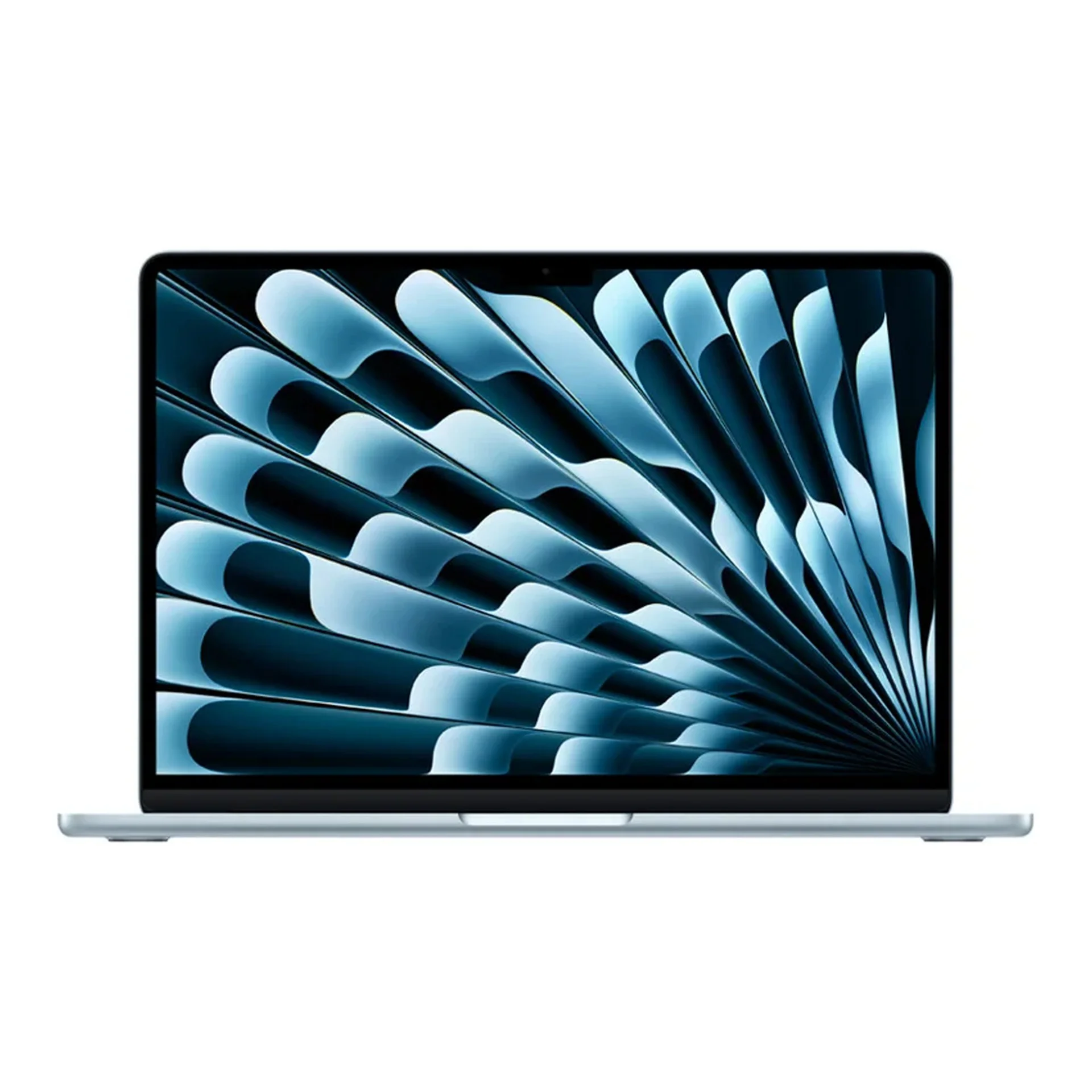
No photos recorded for this color yet
Apple MacBook Air (M5)
Product ID: AKS-20261006-BU8M
The Apple MacBook Air (M5) is the thin-and-light MacBook, with a 13.6- or 15.3-inch Liquid Retina display and up to 18 hours of video battery life. It runs Apple M5 (10-core CPU, 8- or 10-core GPU), with MagSafe 3, two Thunderbolt 4 ports and N1 Wi-Fi 7 / Bluetooth 6. It starts with a 512GB SSD (up to 4TB) and 16GB unified memory (up to 32GB). Sky Blue, Midnight, Starlight and Silver; sold on Apple Taiwan.
Saved temporarily in this device’s browser only. No long-term storage or syncing.
Official list prices
Pending and starting prices do not confirm the price of a specific variant. Check each market’s currency and tax status.
No verified official price available
Product information
- Brand:
- Apple
- Category:
- Laptop
- Product line:
- MacBook Air
- Release date:
- 2026-03-11
- Product ID:
- AKS-20261006-BU8M
- Official information:
- View manufacturer page
- Last updated:
- Oct 29, 2026
Specifications
Body and display
- Width
- 304.1 mm
- Depth
- 215 mm
- Minimum height
- 11.3 mm
- Maximum height
- 11.3 mm
- Weight
- 1.23 kg
- Display count
- 1
- Display size
- 13.6 in
- Display resolution
- 2560 × 1664
- Display technology
- Liquid Retina (IPS; 500 nits; P3; 1 billion colors; 15.3-inch model also available)
- Touchscreen
- No
Performance and storage
- Operating system
- macOS
- OS version
- 26 (at launch)
- Processor
- Apple M5 (10-core CPU: 4 super cores + 6 efficiency cores)
- Graphics
- Apple M5 8-core or 10-core GPU (with Neural Accelerators, hardware-accelerated ray tracing)
- NPU
- 16-core Neural Engine
- Memory type
- Unified memory (16GB standard, configurable to 24 / 32GB)
- Storage type
- SSD (512GB standard, configurable up to 4TB)
Power and connectivity
- Battery capacity
- 54 Wh
- Power adapter
- 40 W
- Ports
- MagSafe 3; 2× Thunderbolt 4 (USB-C); 3.5mm headphone jack
- Wireless
- Apple N1: Wi-Fi 7 (802.11be); Bluetooth 6; Thread
- Camera
- 12MP Center Stage camera (with Desk View), 1080p video
- Color
- Sky Blue / Midnight / Starlight / Silver
Display
- Peak brightness
- 500 nits
Product reviews
Based on 4 reviews
Based on a limited sample of reviews.
Dave2D: MacBook Air (M5) Review — Fanless Thermal Throttling & Two-Display Limit
Machine translated · Original language: Chinese (Taiwan) · Source language: Chinese (Taiwan)
Source
Dave2D
Key Takeaways
- Fanless passive cooling means sustained 4K exports past 10 minutes drive underside temps over 45°C, throttling clocks by 25%.
- Still capped at two external displays, mandating clamshell mode to drive the second external monitor.
- Only two Thunderbolt ports on the left flank plus a 3.5mm jack on the right, still forcing dongles.
- Display remains fixed at 60Hz without HDR Mini-LED punch, creating a clear gap below MacBook Pro.
✅ Pros
- M5 silicon delivers snappy, whisper-quiet zero-decibel productivity
- Featherlight 11.3mm profile slips into any bag
- Marathon 16-hour real-world casual battery life
❌ Cons
- 25% thermal throttling under continuous 10-minute exports
- Dual external display requires clamshell mode
- Starved for ports with only two USB-C sockets
- 60Hz refresh rate lacks HDR brilliance
📝 Verdict
"MacBook Air M5 is the ultimate casual ultrabook, held back from greatness by fanless throttling and display limits."
View original
Dave2D:無風扇連續高負載降頻顯著,外接螢幕依然限制在兩台
來源
Dave2D
重點摘要
- 由於維持完全無風扇被動散熱設計,在連續導出 4K 影片超過 10 分鐘後,機身底部高溫飆破 45°C 並觸發 25% 性能降頻。
- 外接螢幕依然維持最多兩台的硬體上限,且只有在筆電螢幕闔上(Clamshell)狀態下才能點亮第二台外接螢幕。
- 機身只有左側兩個 Thunderbolt 接口與右側單一 3.5mm 耳機孔,插拔多個配件依然顯得捉襟見肘。
- 螢幕依然鎖定在 60Hz 且缺乏 Mini-LED 的 HDR 高動態對比支援,與 MacBook Pro 差距鮮明。
✅ 優點
- M5 晶片日常秒開網頁且完全零噪音運行
- 極致纖薄 11.3mm 輕盈機身隨身攜帶毫無負擔
- 離線輕度辦公續航長達驚人的 16 小時
❌ 缺點
- 長時間重負載高溫降頻達 25%
- 外接雙螢幕需維持闔蓋狀態
- 接口過少依然需要攜帶轉接器
- 螢幕依然維持 60Hz 無 HDR
📝 總結評語
「MacBook Air M5 是最強輕薄日常神機,但無風扇降頻與闔蓋外接螢幕限制,提醒你它不是 Pro。」
This AI-generated summary is based on the original source and was not written by its creator. It may contain errors or omissions; please consult the original source.
ShortCircuit: The M5 Air — powerful, but students should look at the Neo first
Machine translated · Original language: Chinese (Taiwan)
Source
- Video: Lets try and spot the difference - MacBook Air M5
- Channel: ShortCircuit | Type: Unboxing + lab / gaming / creative comparisons | Based on: YouTube transcript
Key points
- Who it's for: people who need more performance than the Neo, MagSafe / Thunderbolt, and longer creative sessions; for students who mostly browse the web, he actually recommends the Neo.
- The exterior is almost unchanged; 512GB standard, Wi-Fi 7, 153GB/s memory bandwidth; a dynamic 40–60W power adapter.
- The screen is still 60Hz / 500 nits; single-core is close to the same-generation Pro, while multi-core and sustained loads lose to the fan-cooled Pro.
- Cyberpunk at the "for this Mac" preset runs at around 30fps; the speakers have strong bass and the microphones are good; he personally doesn't like scissor-switch keyboards and wants a touchscreen.
- Starting at about $1,100: whether it's worth paying more than the Neo depends on whether you need that extra performance and those ports.
✅ Pros
- M5 + faster SSD / Wi-Fi 7 are real improvements over the previous generation
- The speakers, microphones and trackpad still feel excellent
- Repairs on the fanless laptop look friendlier than in the past (four screws)
❌ Cons
- Stagnant screen specs (60Hz, no touch)
- Noticeably pricier than the Neo; keyboard feel is a matter of personal taste
- Thermal throttling under long heavy loads
📝 Verdict
"Students who just browse the web should buy the Neo; consider spending the difference on the Air if you need more performance." — A good laptop, but not everyone should skip the entry-level model.
View original
ShortCircuit:M5 Air——很強,但學生先看 Neo
來源
- 影片:Lets try and spot the difference - MacBook Air M5
- 頻道:ShortCircuit|類型:開箱+實驗室/遊戲/創作對照|摘要依據:YouTube 字幕逐字稿
重點摘要
- 適合誰:需要比 Neo 更強效能、MagSafe/Thunderbolt、更長線創作的人;學生輕量上網他反而推 Neo。
- 外觀幾乎不變;標準 512GB、Wi-Fi 7、記憶體頻寬 153GB/s;動態 40–60W 變壓器。
- 螢幕仍 60Hz/500 尼特;單核接近同代 Pro,多核與長時間負載輸給有風扇的 Pro。
- Cyberpunk「for this Mac」設定約 30fps 等級;喇叭低音重、麥克風佳;他個人不愛剪刀腳鍵盤、也想要觸控螢幕。
- 起價約 1,100 美元:相對 Neo 是否值得多花,取決於你要不要那層效能與接口。
✅ 優點
- M5+更快 SSD/Wi-Fi 7,對上代有實質進步
- 喇叭、麥克風、觸控板體感仍優秀
- 無風扇筆電修復門檻看起來比過去友善(四顆螺絲)
❌ 缺點
- 螢幕規格停滯(60Hz、無觸控)
- 價格相對 Neo 高出一截;鍵盤手感屬個人好惡
- 長時間重負載會熱限速
📝 總結評語
「只要上網的學生買 Neo;需要更多效能再考慮把價差花在 Air。」 — 好筆電,但不是每個人都該跳過入門款。
This AI-generated summary is based on the original source and was not written by its creator. It may contain errors or omissions; please consult the original source.
Brian Tong: The M5 Air is still the "just right" main laptop
Machine translated · Original language: Chinese (Taiwan)
Source
- Video: M5 MacBook Air Review - Still So Freakin' Good w/ Real World Tests!
- Channel: Brian Tong | Type: Full review + real Premiere / Final Cut exports | Based on: YouTube transcript
Key points
- Who it's for: upgraders from Intel / M1–M2, college students and light-to-moderate creators; M3 / M4 owners get a limited upgrade.
- He highlights 512GB and 16GB as standard, N1 Wi-Fi 7 and a faster SSD; the unchanged exterior is still "where laptops start".
- In real Premiere / Final Cut tests, export times keep improving over the previous generation; in Final Cut, the gap in export seconds even narrows to approach some Max machines.
- The Neo may cover 80% of light needs, but the Air has a larger screen option, MagSafe, a backlit keyboard and a higher ceiling; he can still "do all his work on an Air".
- Education pricing and the 15-inch option make its positioning clear: a creative tool, not just a netbook.
✅ Pros
- Excellent real-world editing and export performance; better value than blindly jumping to a Pro
- Standard specs finally don't force you into upgrades from the start
- Mature thin-and-light design, battery life, and speaker / keyboard / trackpad experience
❌ Cons
- An incremental upgrade over the M4; existing owners don't necessarily need to switch
- The exterior hasn't changed in years
- Heavy 3D / flagship-level creative work should still look at the Pro / Max
📝 Verdict
"I used to say start with the Air; now I say look at the Neo first, but most people will still end up better suited to the Air." — A solid main machine, not an exciting redesign.
View original
Brian Tong:M5 Air 仍是「剛剛好」的主力筆電
來源
- 影片:M5 MacBook Air Review - Still So Freakin' Good w/ Real World Tests!
- 頻道:Brian Tong|類型:完整評測+Premiere/Final Cut 實匯出|摘要依據:YouTube 字幕逐字稿
重點摘要
- 適合誰:Intel/M1–M2 升級者、大學生與輕中度創作者;M3/M4 用户升級幅度有限。
- 強調標準 512GB、16GB、N1 Wi-Fi 7、更快 SSD;外觀不變仍是「筆電起點」。
- Premiere/Final Cut 實測匯出時間相對前代持續進步;Final Cut 甚至逼近部分 Max 機的匯出秒數差距縮小。
- Neo 可能滿足八成輕量需求,但 Air 有更大螢幕選項、MagSafe、背光鍵盤與更高天花板,他仍能「用 Air 做完所有工作」。
- 教育價與 15 吋選項讓定位清晰:創意工具,而不只是上網本。
✅ 優點
- 真實剪輯匯出表現出色,性價比高於盲目上 Pro
- 標準規格終於不再逼你一開價就加購
- 輕薄、續航與喇叭/鍵鼠體驗成熟
❌ 缺點
- 相對 M4 是漸進升級,老用户未必該換
- 外觀多年不變
- 重度 3D/旗艦創作仍應看 Pro/Max
📝 總結評語
「以前我說從 Air 開始;現在我說先看 Neo,但多數人最後還是會更適合 Air。」 — 穩健的主力機,不是刺激的翻新。
This AI-generated summary is based on the original source and was not written by its creator. It may contain errors or omissions; please consult the original source.
The Tech Chap: Forget the Neo? Most people should actually buy the M5 Air
Machine translated · Original language: Chinese (Taiwan)
Source
- Video: MacBook Air M5 Review - Forget the Neo!
- Channel: The Tech Chap | Type: Full review + M1 / M4 / M5 comparison | Based on: YouTube transcript
Key points
- Who it's for: people who want a main machine that will serve them well for the next 5–10 years; students and older users with purely light use can seriously consider the half-price Neo.
- What the Air has over the Neo: 2× Thunderbolt 4, MagSafe, a backlit keyboard, a Force Touch trackpad, 16GB / 512GB, a faster SSD, a better camera, Wi-Fi 7, a larger screen and longer official battery life.
- M5 versus M4: about 10% on CPU, around 30% on GPU / Metal, and a big lead when running AI on the GPU; Cyberpunk at medium settings runs at about 62fps versus about 47fps on the M4.
- Being fanless, it heats up and throttles when doing AI + 4K Premiere + many tabs at once; it's still far more than most people need, so there's no need to jump to a Pro for future-proofing.
- The screen is still a 60Hz LCD, which he thinks should be upgraded next year; the UK / Europe may not include a power adapter.
✅ Pros
- Clearly more complete and future-proof than the Neo
- GPU / on-device AI acceleration is one of this generation's biggest selling points
- The base model is the one to buy; no need for upgrades (his explicit advice)
❌ Cons
- The screen hasn't changed in years, while Windows laptops at the same price often have OLED / high refresh rates
- Fanless design throttles under long heavy loads
- About twice the price of the Neo; whether it's worth it depends on your use
📝 Verdict
"This is probably the Mac most people should really buy; the Neo is tempting, but the Air is the more complete machine." — The title says Forget the Neo, but the video still acknowledges light users can buy the Neo.
View original
The Tech Chap:忘掉 Neo?多數人其實更該買 M5 Air
來源
- 影片:MacBook Air M5 Review - Forget the Neo!
- 頻道:The Tech Chap|類型:完整評測+M1/M4/M5 對照|摘要依據:YouTube 字幕逐字稿
重點摘要
- 適合誰:要當主力機、想未來 5–10 年好用的人;純學生/長輩輕用量可認真考慮半價 Neo。
- 細數 Air 相對 Neo:Thunderbolt 4×2、MagSafe、背光鍵盤、Force Touch 觸控板、16GB/512GB、更快 SSD、更好鏡頭、Wi-Fi 7、較大螢幕與更長官方續航。
- M5 相對 M4:CPU 約一成、GPU/Metal 約三成級、GPU 跑 AI 可大幅領先;Cyberpunk 中畫質約 62fps vs M4 約 47fps。
- 無風扇在同時 AI+4K Premiere+多頁籤時會熱與限速;多數人仍遠超所需,不必為了未來先上 Pro。
- 螢幕仍 60Hz LCD,他覺得明年該升級;英國/歐洲可能不附變壓器。
✅ 優點
- 相對 Neo 的完整度與未來性明顯更高
- GPU/本機 AI 加速是這代最大賣點之一
- 基礎款就該買,不必再加購(他的明確建議)
❌ 缺點
- 螢幕多年未變,同價 Windows 常有 OLED/高刷
- 無風扇長時間重負載會熱限速
- 相對 Neo 貴約一倍,價值取捨看用途
📝 總結評語
「這大概才是多數人真正該買的 Mac;Neo 很香,但 Air 才是更完整的一台。」 — 標題喊 Forget the Neo,內文仍承認輕量用户可買 Neo。
This AI-generated summary is based on the original source and was not written by its creator. It may contain errors or omissions; please consult the original source.